---
title: "eKYC Prefill"
url: "https://developer.incode.com/dashboard-platform-administration/ekyc-prefill-dashboard/"
section: "dashboard-platform-administration"
group: "Add Modules"
version: "v1.1"
status: "live"
---
# eKYC Prefill
This module looks up the end user in identity data sources from a phone number or a tax ID and returns the personal data the source holds, so it can pre-fill later steps of the onboarding. Which identifiers are needed depends on the country and source configured for the module.
:::info
This is different than [eKYC](/dashboard-platform-administration/ekyc-dashboard/).
:::
## Supported with:
✅ Workflows | ✅ Flows
## Before you start
The source you want to use must be enabled for your organization in its country. Contact your Incode representative to enable it. See [eKYC Prefill Coverage](/general-reference/ekyc-prefill-coverage/) for the available sources.
## Add eKYC Pre-fill to Workflows
1. In the left menu, click **Flow Builder** > **Workflows**.
2. Click **New** or select an existing Workflow.
3. Add the **eKYC Prefill** module. Do one of the following, depending on whether you have the **New** or **Classic** view enabled in the toggle in the top right:
- **New**: Click **Add node**  > **Modules**, then search for and select **eKYC Prefill**.
- **Classic**: From the **Modules** list, drag and drop the **eKYC Prefill** module into the builder after the modules that collect user data.
4. You can click **Options**  > **Edit** on the module node to open the [Configuration Options](#configuration-options) panel and adjust settings as needed.
## Add eKYC Pre-fill to Flows
1. In the left menu, click **Flow Builder** > **Flows**.
2. Click **New** or select an existing Flow.
3. On the Select Modules tab, find the eKYC Prefill module and click **Add**.
4. You can click **Details & Configurations** to open the [Configuration Options](#configuration-options) panel and adjust settings as needed.
## Configuration Options
This section details all the configuration options available for this module. The configuration panel looks different depending on whether you have the **New** or **Classic** view enabled in the toggle in the top right in your Flow or Workflow. After changing anything, click **Save configurations** before closing the configuration panel.
The options you see in your configuration may differ from those documented here. Contact your Incode representative for more information.
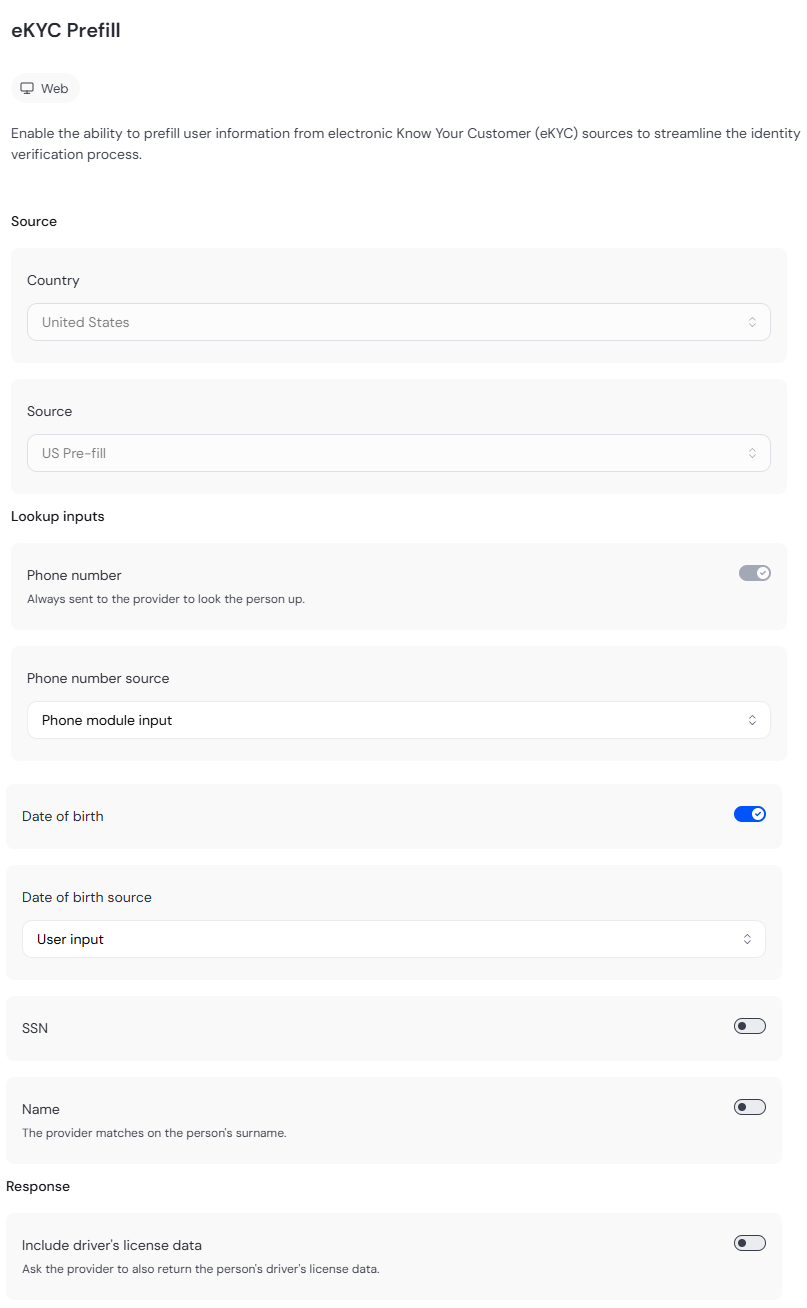
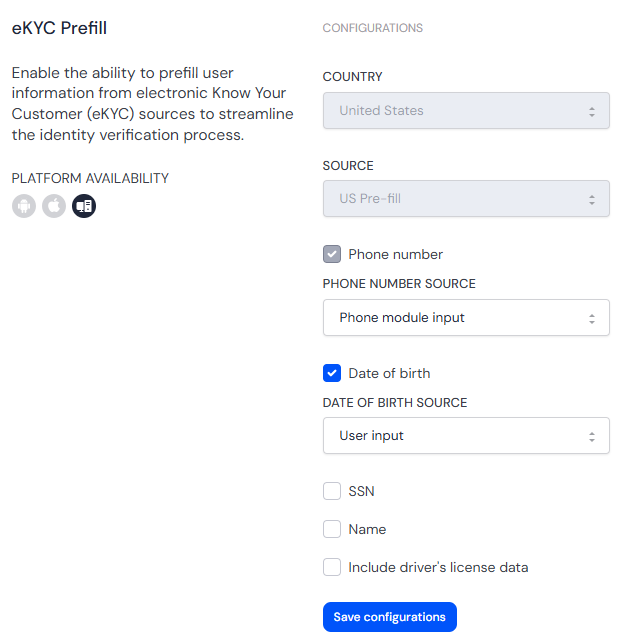
| Option | Description | Default |
|---|---|---|
| Country | Country of the end user. Must be the country the source serves. | United States |
| Source | US Pre-fill, US Pre-fill Express or BR Pre-fill. See [eKYC Prefill Coverage](/general-reference/ekyc-prefill-coverage/). | US Pre-fill |
| Phone Number | Send the phone number. Always on for the US sources, which look up by phone. | On |
| Phone number source | Where the phone number comes from. Options are _Phone module input_ or _User input_. | Phone module input |
| Date of birth | Send the date of birth. US Pre-fill only. | On |
| Date of birth source | Where the date of birth comes from. Options are _User input_ or _Auto-fill from ID (OCR)_. This field is hidden if **Date of birth** is _Off_. | User input |
| SSN | Send the SSN. US Pre-fill only | Off |
| SSN source | Where the SSN comes from. The only option is _User input_. This field is hidden if **SSN** is _Off_. | User input |
| Name | Send the last name (surname). US Pre-fill only. | Off |
| Name source | Where the name comes from. Options are _User input_, _Auto-fill from ID (OCR)_, or _Proof of address_. This field is hidden if **Name** is _Off_. | User Input |
| Include driver's license data | Return the driver's license data the source holds. US sources only. | Off |
Each source in the eKYC Prefill module uses only its own identifiers and ignores the rest.
- **US Pre-fill.** Phone number plus at least one of Date of Birth, SSN, or Name.
- **US Pre-fill Express** (coming soon). Phone number only.
- **BR Pre-fill** (coming soon). CPF only.
The module cannot be saved until **Country** matches the country the **Source** serves and the selected source has enough identifiers turned on to make a lookup:
| Source | Country | Identifiers required |
|---|---|---|
| US Pre-fill | United States | At least one of Date of Birth, SSN, or Name is on |
| US Pre-fill Express | United States | Phone number is on |
| BR Pre-fill | Brazil | None |
## Add Conditions
Workflow Conditions are not available for this module yet. This section will be updated once they are.
## View results
The [single Session view](/dashboard-platform-administration/single-session-view/) shows the latest answered lookup of the session. The SSN or CPF are masked to their last 4 digits.