Incode web products will display in the default language set in the browser, however, you can explicitly set up one of the supported translations. Refer to Supported Languages for a full list.
Pro Tip
You can explicitly change the language of your application by appending a 2-digit language code in your app's URL. Example, lang=fr or lang=pt
Customization in Web
In addition to localization support, you may want to change strings to display different words.
For example, to change a screen that shows the word "Retake" you can choose to show the word "Try again" instead. Here's how to do that.
{
  "common": {
    "retake": "Try again",  //previously the word "Retake" was here
  }
}
Translations Tool
You can use our translations tool to search for the strings or keys you would like to personalize an generate a sample translation file for you to personalize.
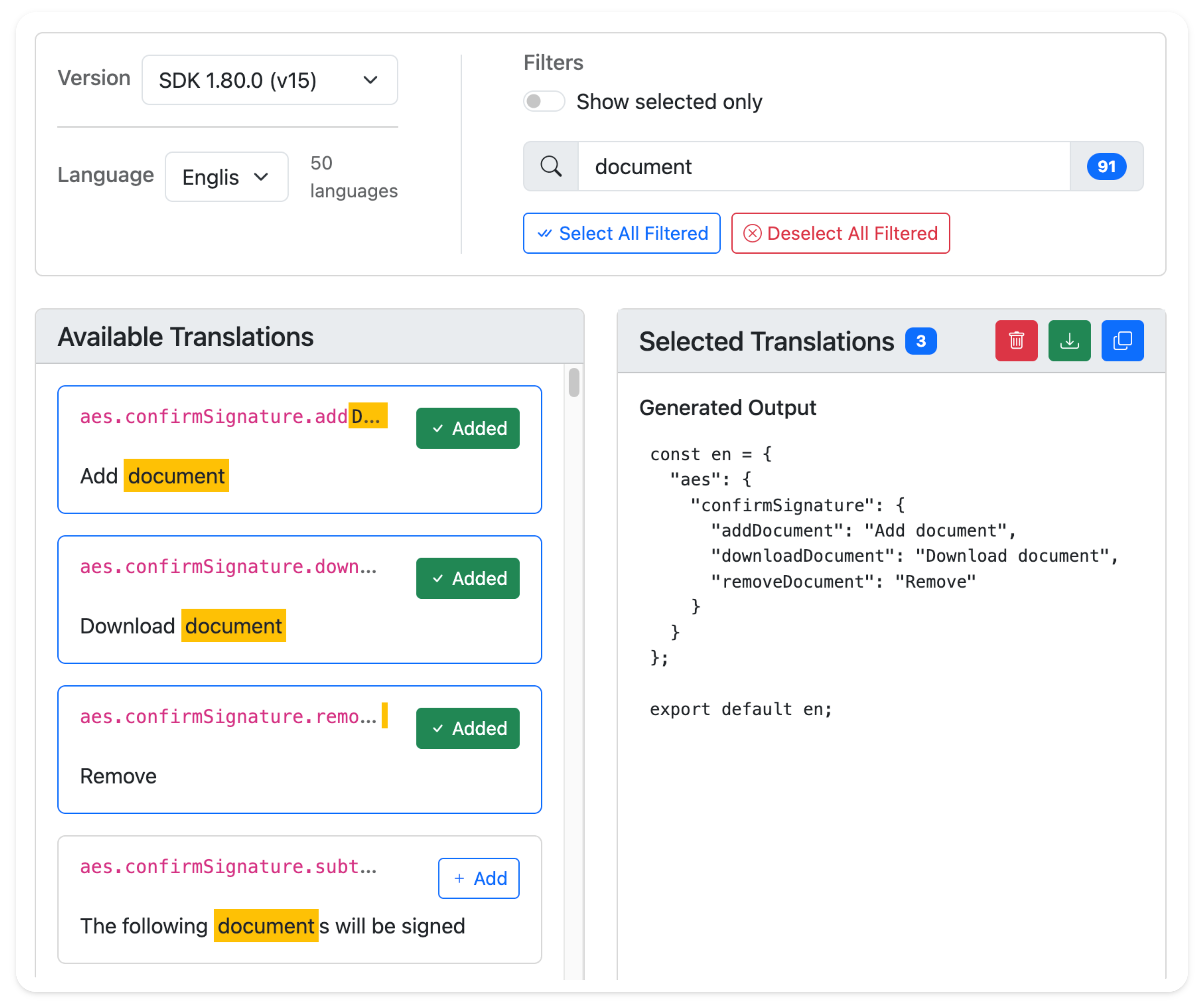
You can then include the language file during the Web SDK's create() method, like below:
import { en } from "./en.js";

const incode = await create({
  apiURL: apiURL,
  translations: en,
});

//Allows proper translation loading order
await incode.initialize();