
Phone Number Input
The Phone Number Input module verifies a user’s mobile number using either Silent Network Authentication (SNA) or an SMS-based one-time password (OTP).
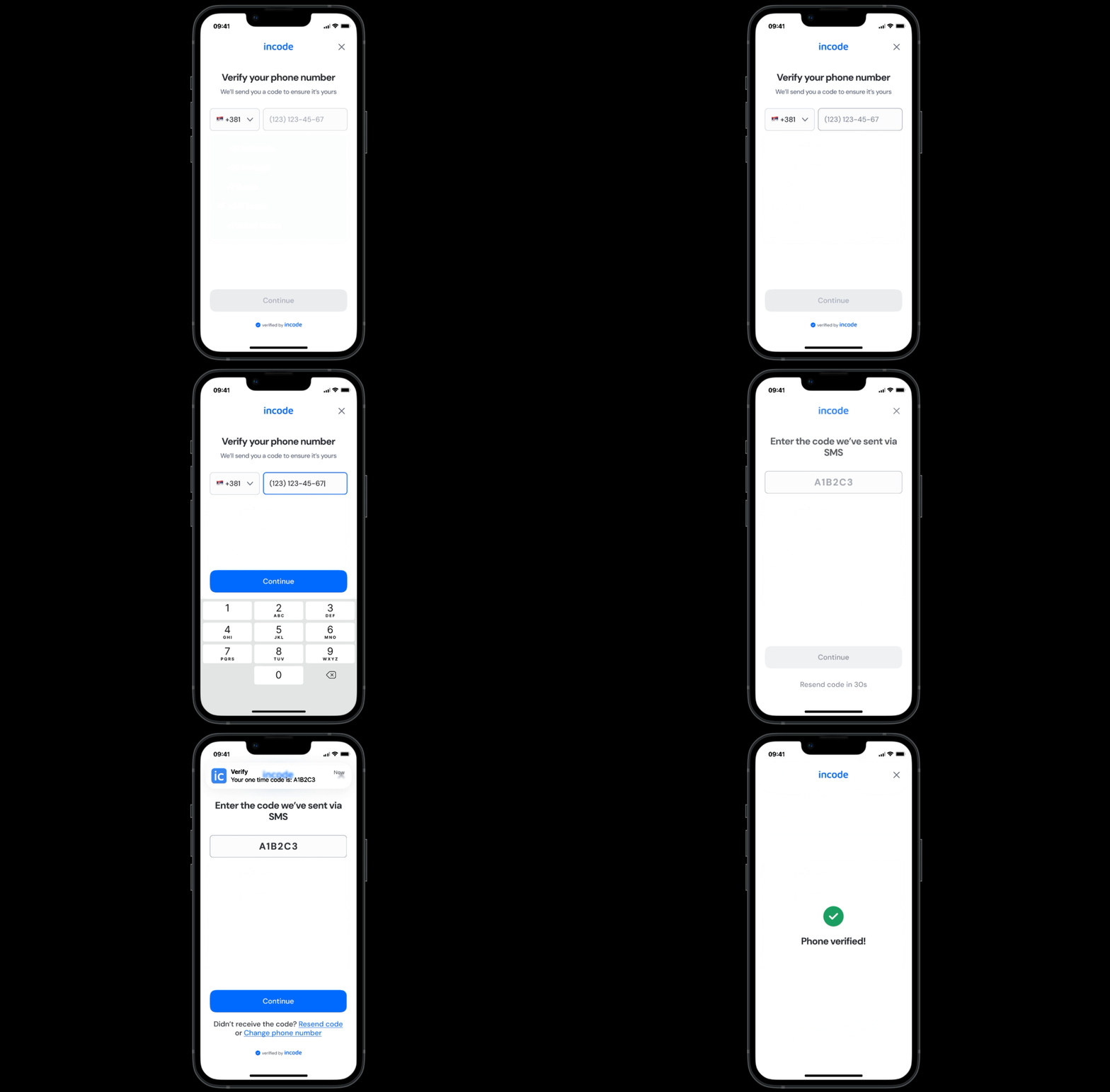
OTP Verification
When available, Silent Network Authentication validates the phone number directly through the user’s mobile network operator — without requiring the user to enter a code. If SNA is unavailable or unsuccessful, the system automatically falls back to SMS OTP verification.
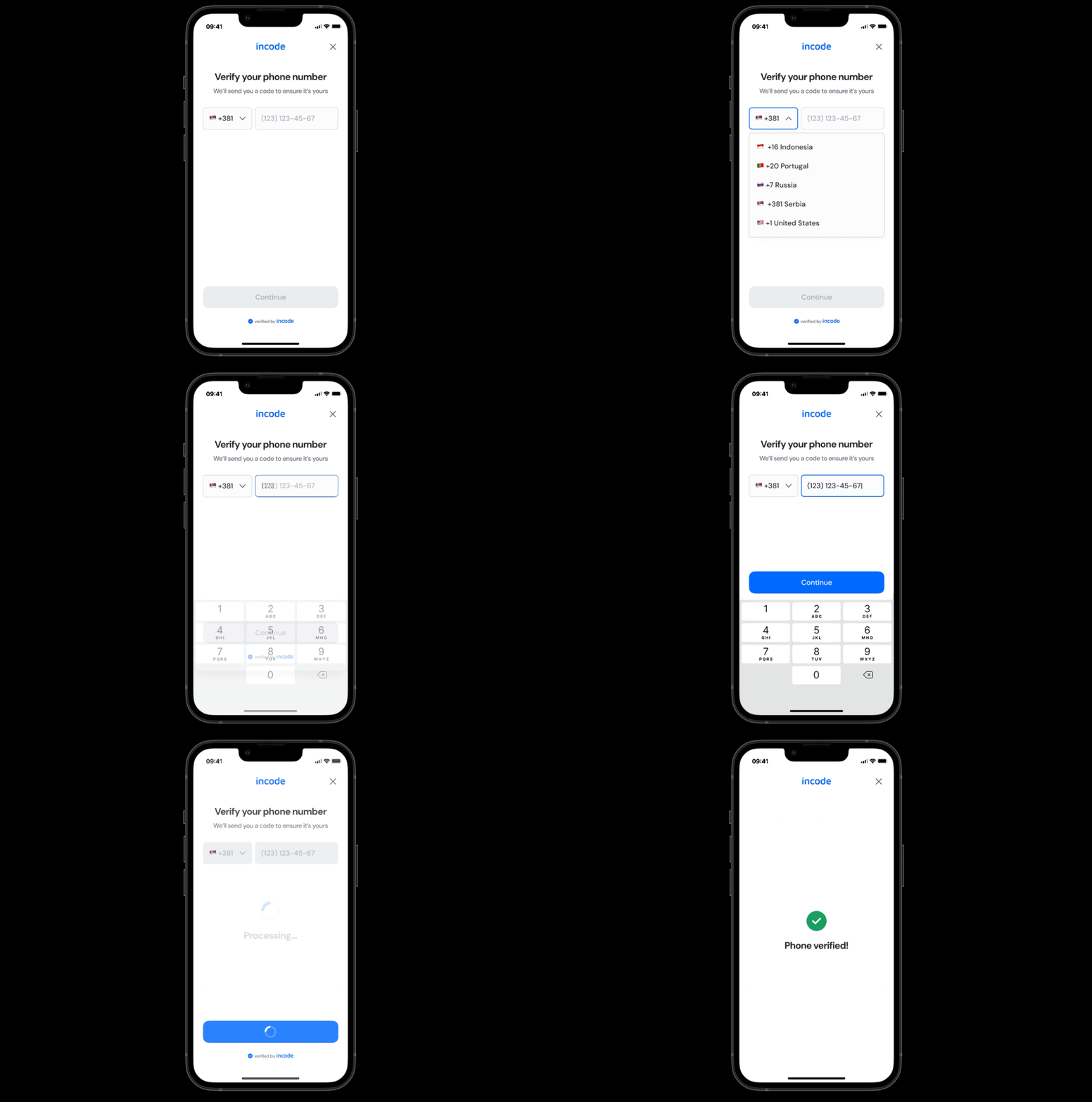
SNA Verification
This ensures both a frictionless experience and maximum verification coverage.
Where it fits in the flow
Phone Number Input typically appears early in the onboarding or verification flow, often before ID and Selfie Capture modules.
Once the phone number is successfully verified (via Silent Network Authentication or SMS OTP), the user proceeds to the next step. This may include biometric verification, document capture, or additional compliance checks depending on configuration.
User Flow
OTP Verification
The Phone Number Input experience guides the user from entering their phone number to completing verification via OTP.
- The user enters their phone number and confirms.
- The system sends a verification code via SMS.
- The user inputs the received code to complete verification.
If the code is incorrect or expired, the flow provides clear retry options, including resending the code or editing the phone number. Once the number is successfully verified, the user advances automatically to the next module.
Silent Network Authentication
- The user enters their phone number and confirms.
- The system initiates verification.
Silent Network Authentication
If supported by the user’s carrier and device:
- A background network validation is triggered.
- No SMS is sent.
- The user does not need to enter a code.
If validation succeeds, verification completes automatically.
SMS OTP (Fallback Method)
If Silent Network Authentication is unavailable or unsuccessful:
- The system sends a verification code via SMS.
- The user inputs the received code to complete verification.
If the OTP code is incorrect or expired, the flow provides clear retry options, including resending the code or editing the phone number.
Once the number is successfully verified, the user advances automatically to the next module.
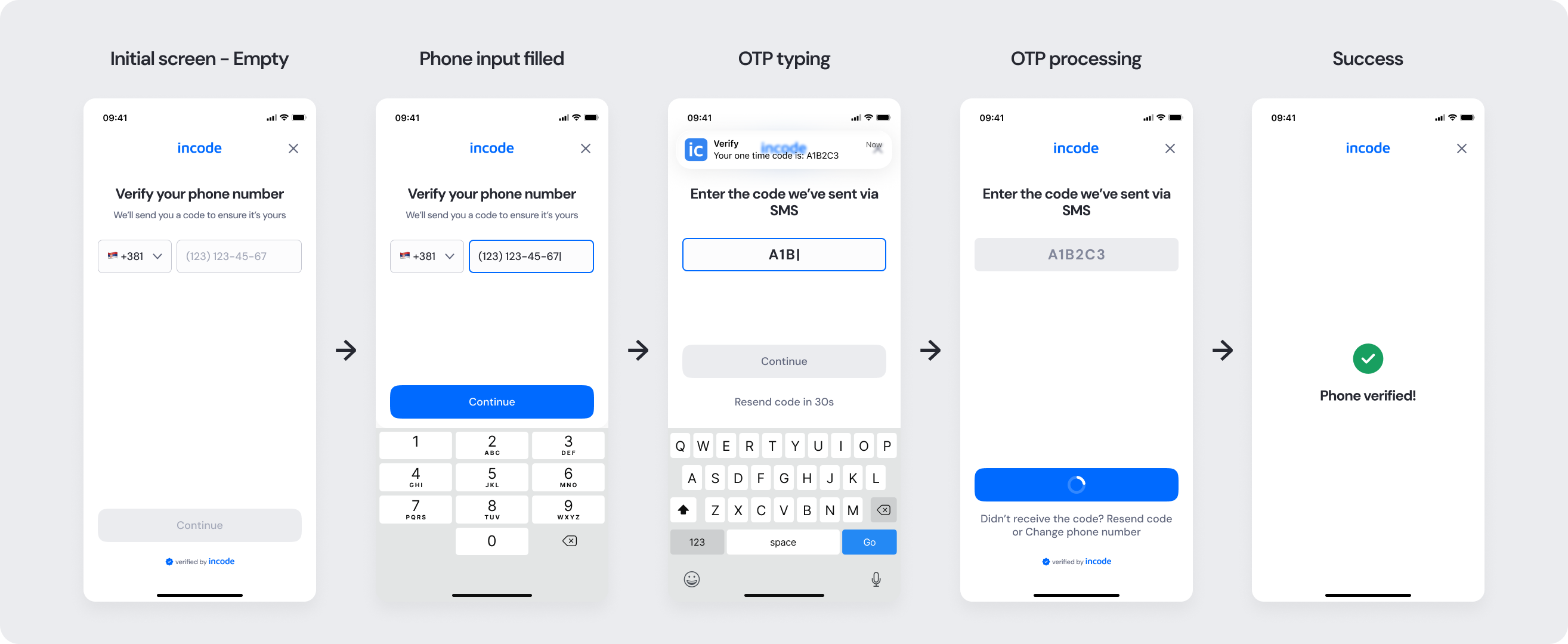
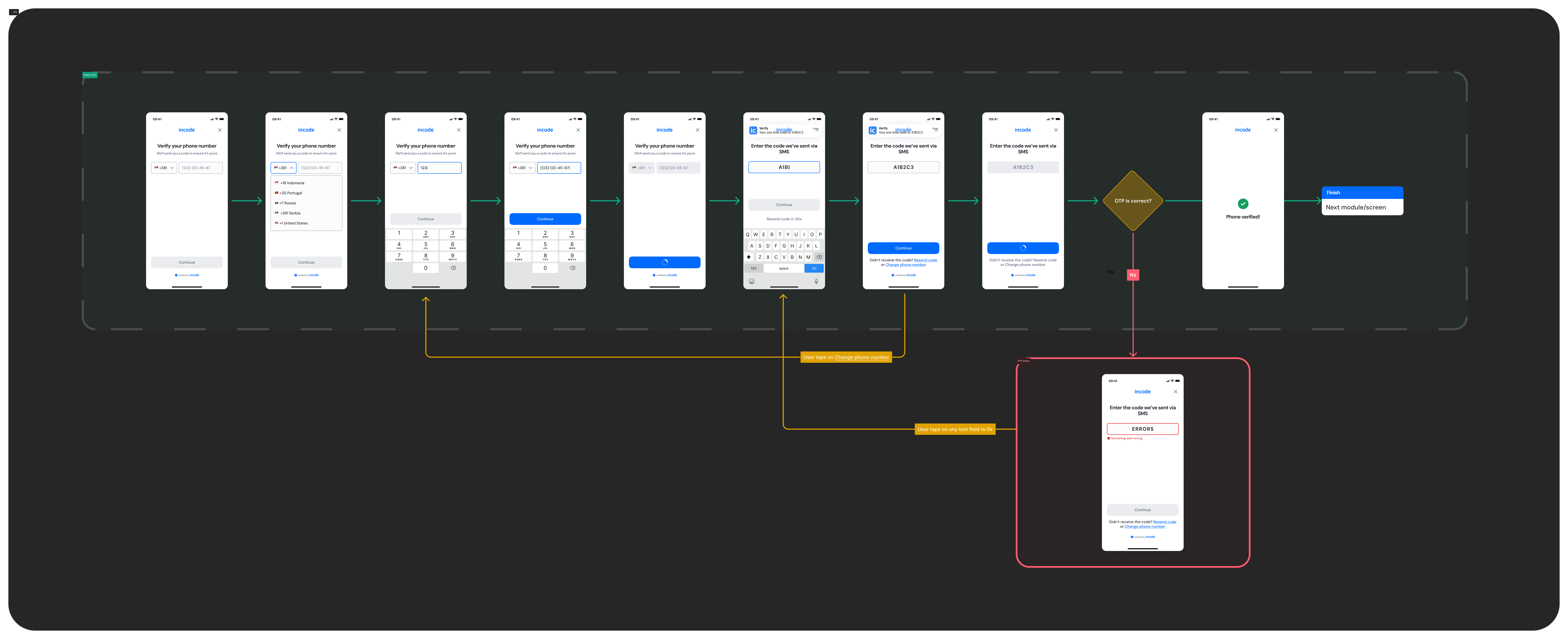
Full Flow Map OTP
This diagram presents the full sequence of screens involved in the Phone Number Input module — from initial input, country code selection, and OTP entry, to successful verification or error handling.
It visually represents both the ideal path and alternative error or retry paths, helping teams understand all possible user interactions and system states within the module.
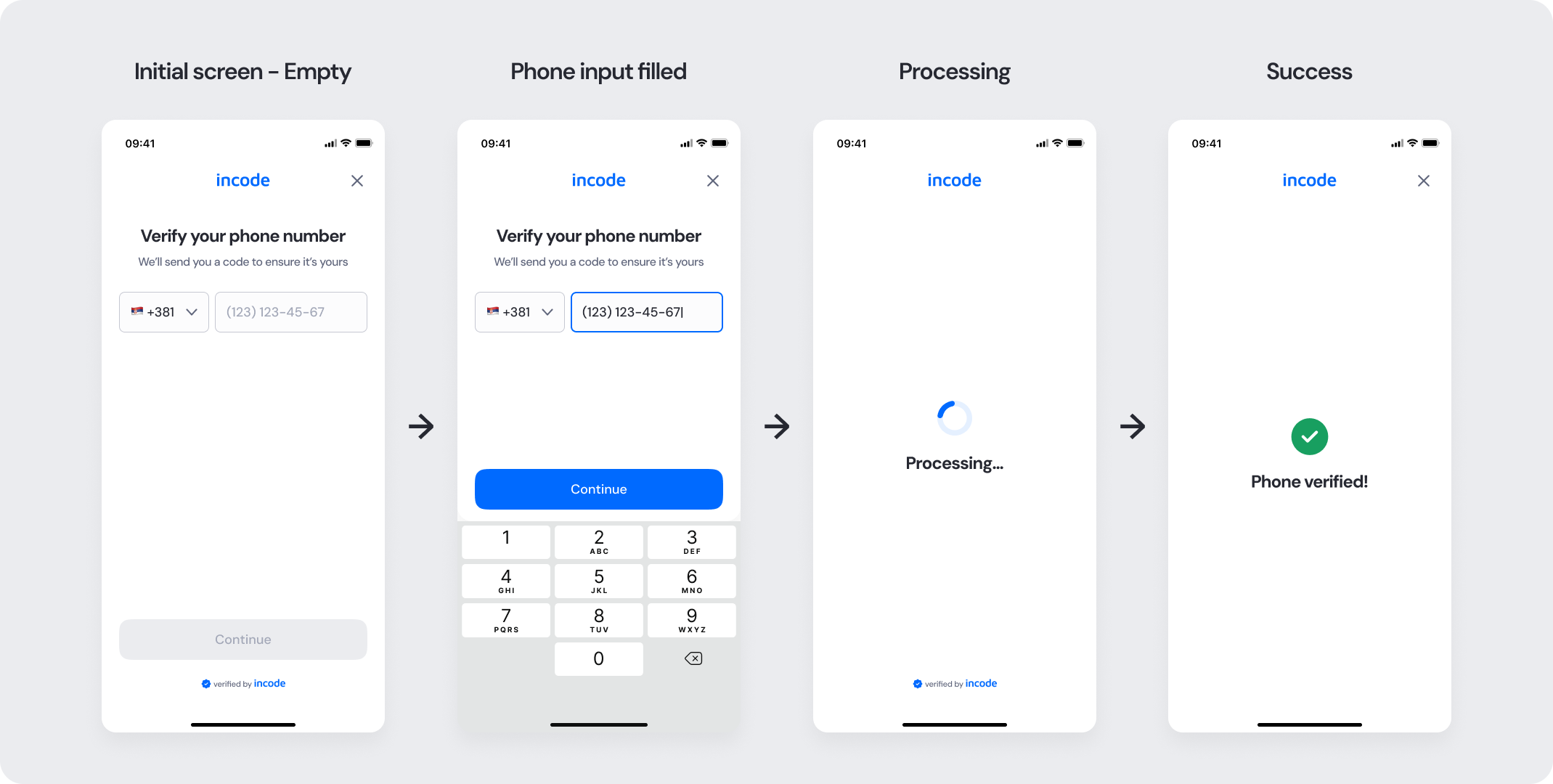
Full Flow Map SNA
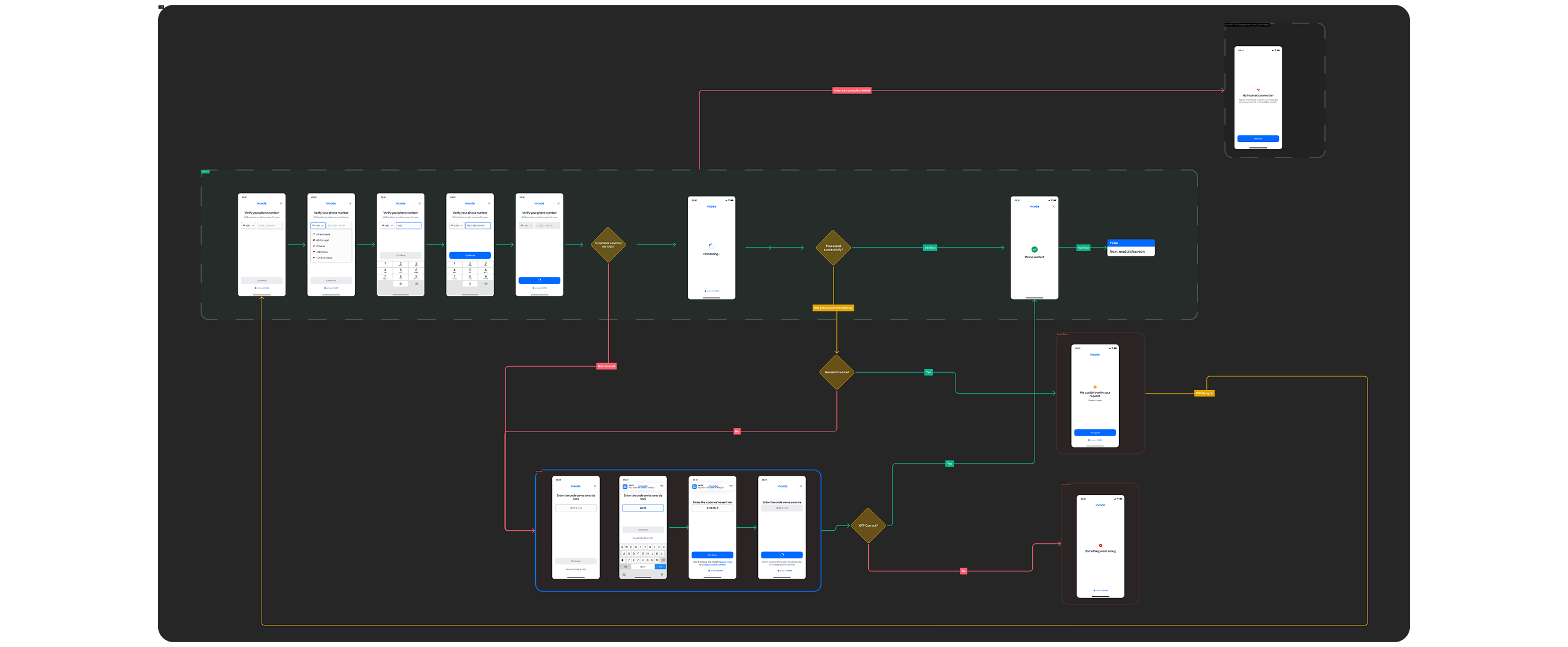
This diagram presents the full sequence of screens involved in the Phone Number Input module — including:
- Phone number input and country code selection
- Silent Network Authentication attempt
- SMS OTP entry (if required)
- Successful verification
- Error handling and retry paths
It visually represents both the ideal path and alternative fallback scenarios, helping teams understand all possible user interactions and system states within the module.
Happy Path (Light & Dark) OTP
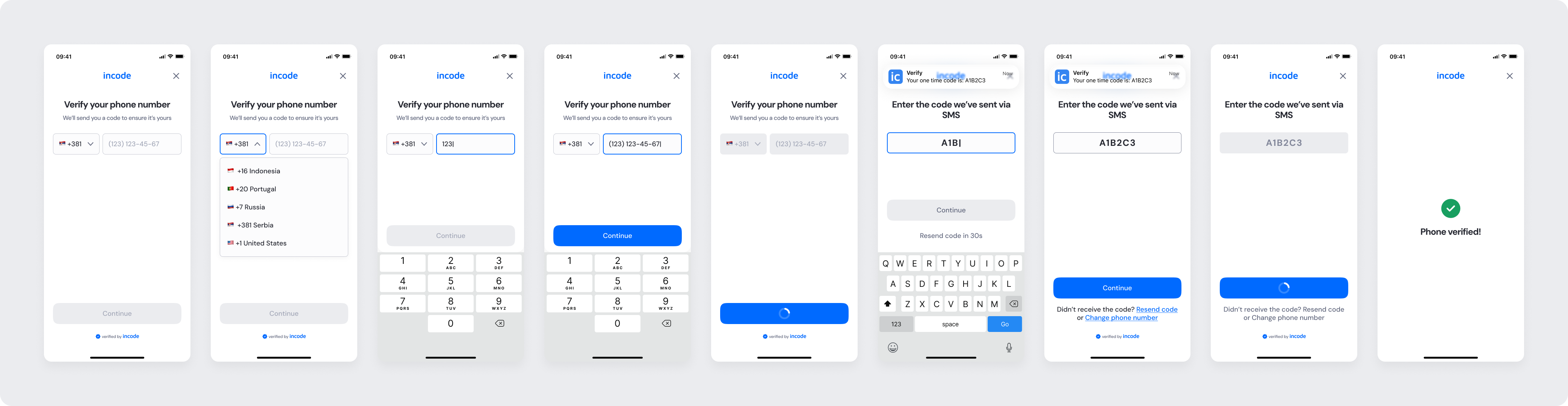
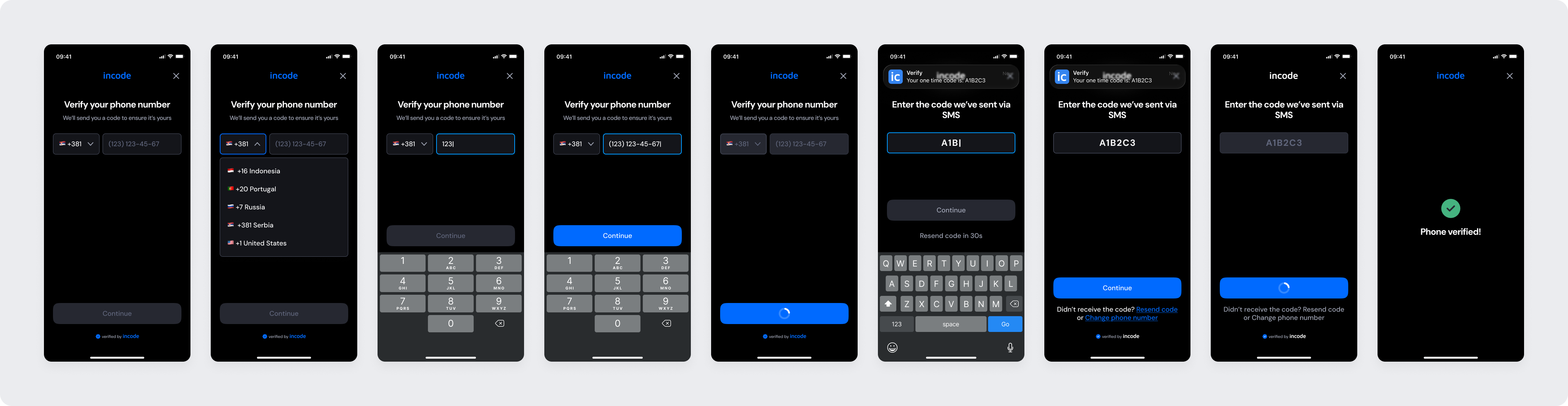
The ideal user journey when the phone number is entered and verified successfully with no interruptions.
The happy path represents the smoothest experience: the user inputs a valid phone number, receives the SMS code instantly, enters it correctly, and proceeds without retries.
Both light and dark mode previews are included so design, product, and engineering teams can validate visual consistency and accessibility across themes.
Light mode
Dark mode
Happy Path (Light & Dark) SNA
When Silent Network Authentication is available, the happy path is fully automatic — the user enters their phone number and advances without entering a code.
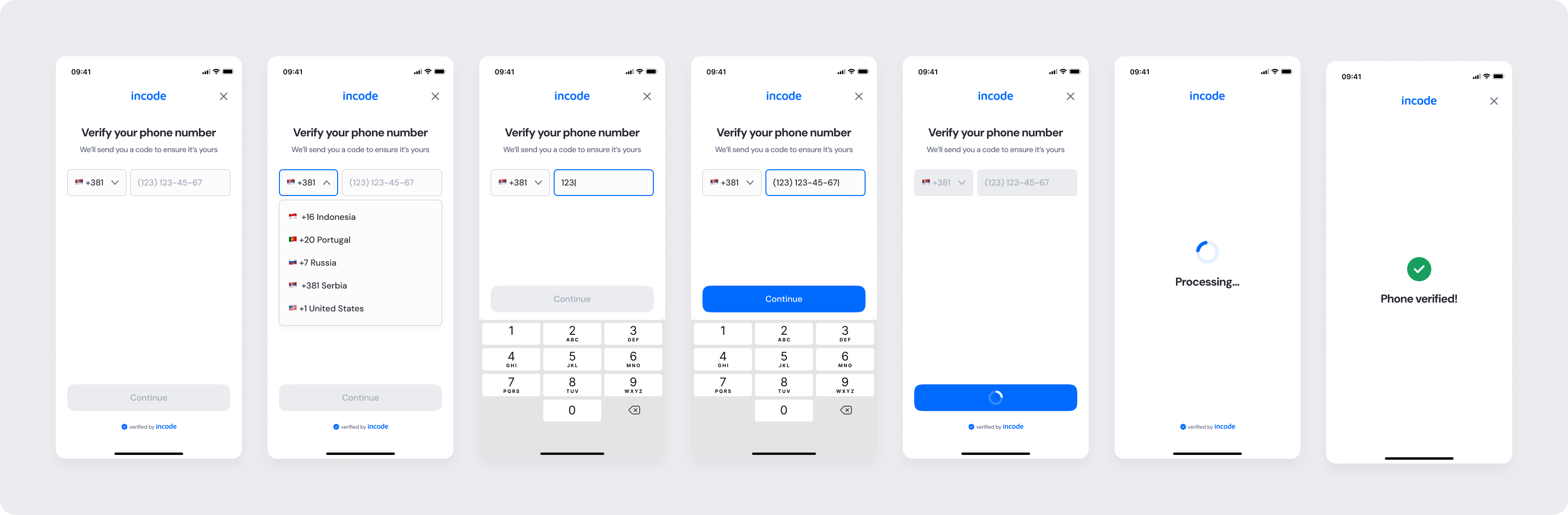
Light mode
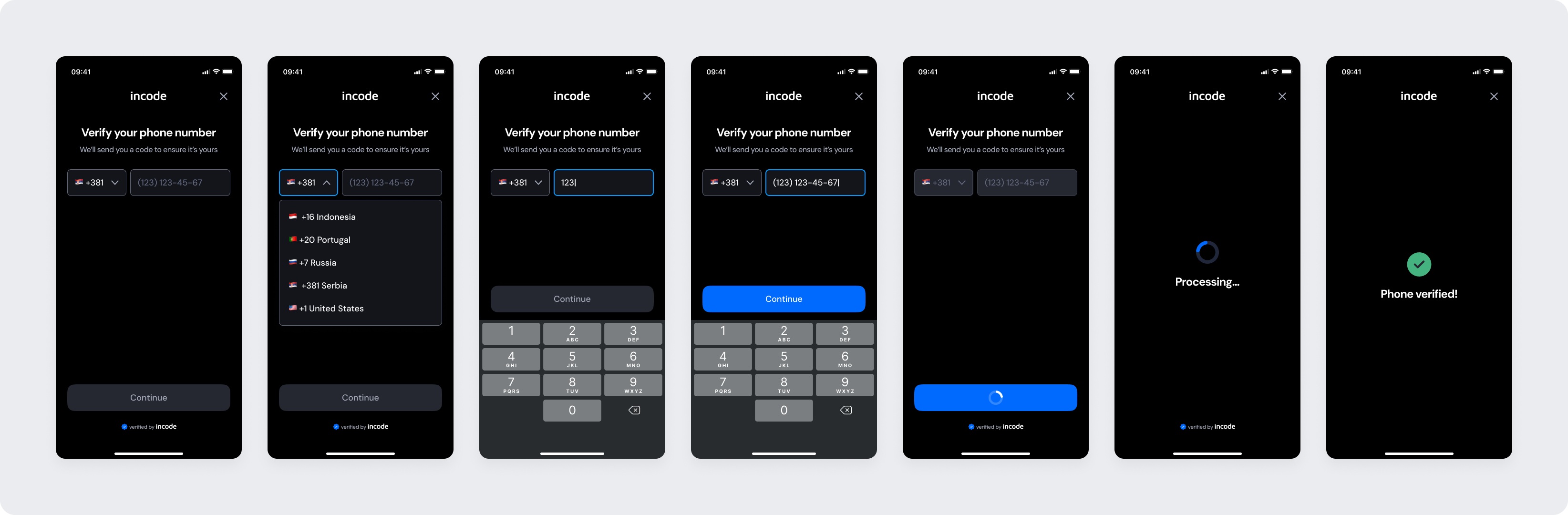
Dark mode
Best Practices
Recommended guidelines for designing and implementing the Phone Number Input experience.
✅ Do
- Keep validation instant and informative.
- Provide clear feedback after OTP code submission (success or error).
- Provide a resend option and allow time buffer for delivery.
- Clearly communicate progress during background verification for SNA
❌ Don’t
- Avoid long delays or silent failures.
- Create long loading states without user feedback.
Updated about 2 hours ago