
United Kingdom
United Kingdom eKYC non-doc verification leverages United Kingdom's source of truth (Voter Register) to validate individuals. It is essential in eKYC processes for ensuring identity authenticity, regulatory compliance, and enhanced security. It helps prevent fraud, boosts user trust, and streamlines operations through automated and efficient verification methods.
Integration
User Input Flow
eKYC module configuration gives various options to specify different search criteria with various sources of truth for each country. User data can be collected via a user input flow by using pre-selected fields where users can type in their name or date of birth, etc. See an example below:
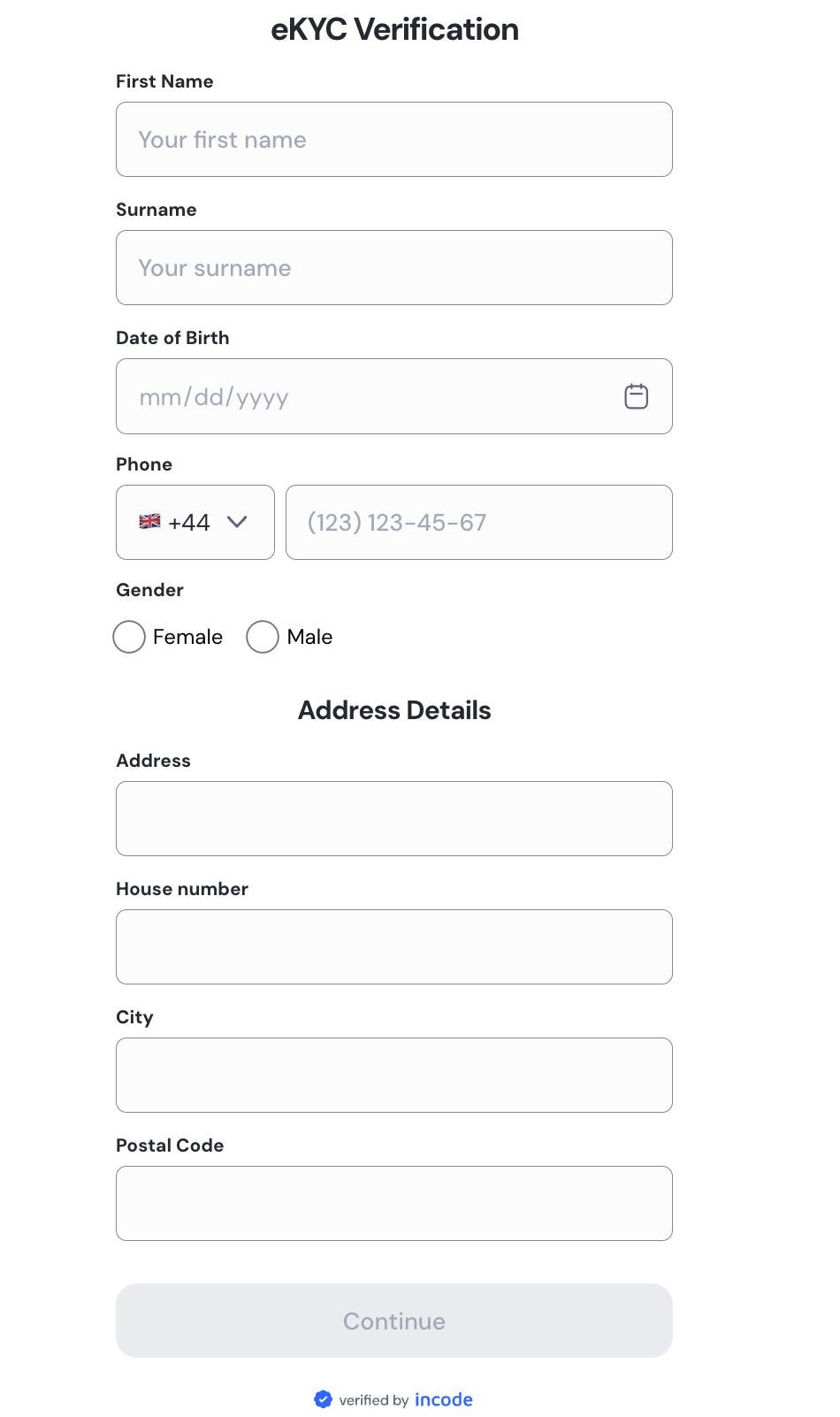
eKYC user input flow example
Module configuration
The module configuration can be leveraged to select the applicable fields for the input data you would like to collect from the end user.
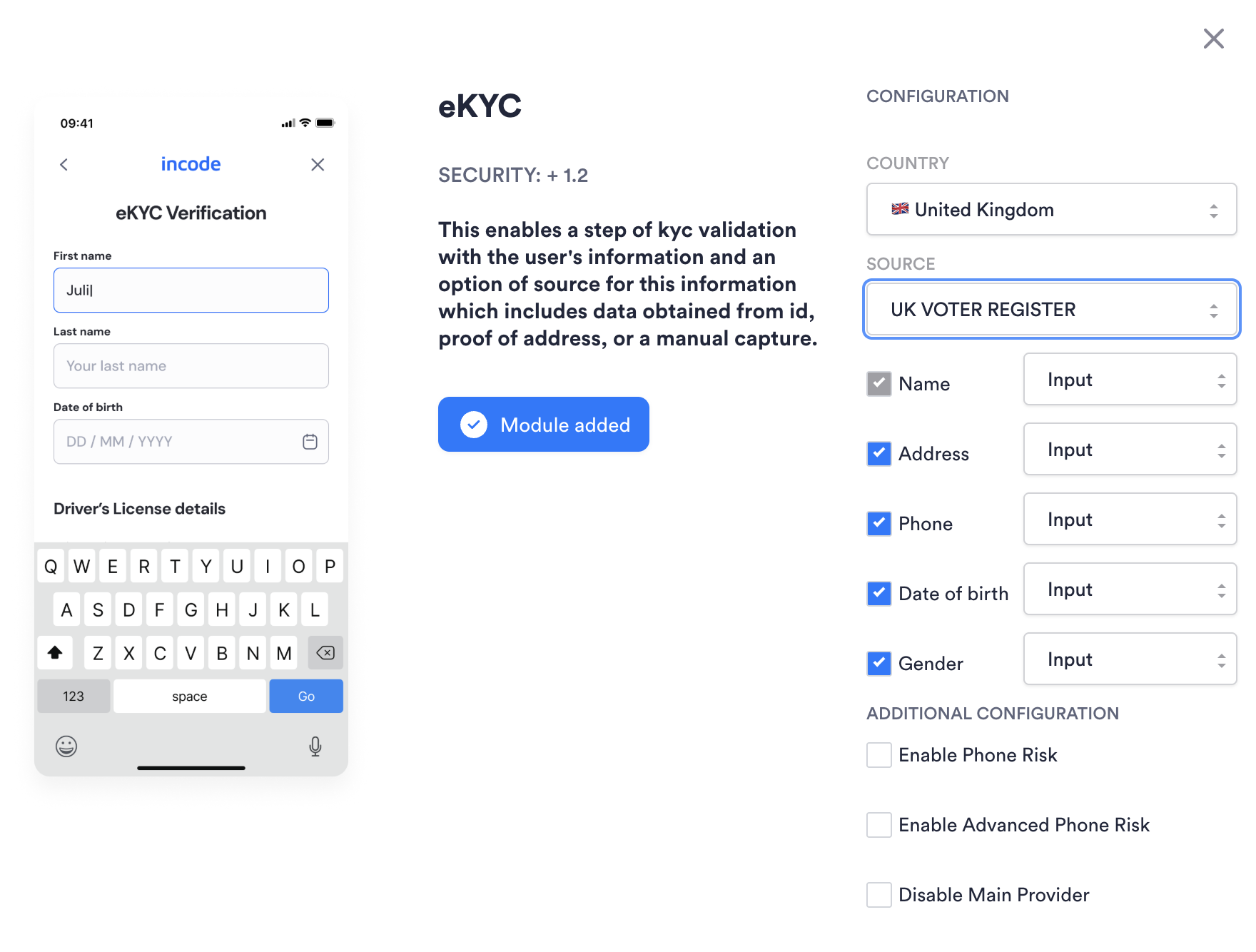
eKYC module configuration
Direct API Approach
All module configurations and user data can be forwarded directly in the request for performing an eKYC search. This will override existing configuration and data collected about the user.
API AuthenticationAll endpoints require authentication headers to be specified as stated in Incode API Documentation
POST /omni/externalVerification/ekyc
This endpoint performs an eKYC check for the individual specified. Note: Endpoint can have empty body {} and in that case information will be pulled from module configuration and session details.
- source: (mandatory) String. Must be "UK_Voter_Register".
- country: (mandatory) String. Two letter Alpha-2 country code. (Must be GB).
- firstName:: (mandatory) String. First name of the individual.
- middleName:: (optional) String. Middle name of the individual.
- surName: (mandatory) String. Last name of the individual.
- street: (optional) String. Provide street and houseNo of the individual.
- city: (optional) String. City of the individual's address.
- postalCode: (optional) String. Postal code, if submitted, must be 5 to 7 characters long (letters and digits only, no special characters).
- dateOfBirth: (optional) String. Format: yyyy-mm-dd (eg. 1980-06-01).
- phone: (optional) String. The length of the phone number: 10 or 11 digits (most commonly 11).
- gender: (optional) String. Accepted values are M or F.
Example Incode request:
{
    "plugins": ["kyc"], //mandatory
	  "source": "UK_Voter_Register" // mandatory
    "firstName": "Joe", // mandatory
    "middleName": "", // optional //
    "surName": "Smith ", // mandatory
		"street": "10 Street Street", // optional
		"city": "London", // optional
		"postalCode": "SW1A2AA", // optional
    "country": "GB", // mandatory
    "dateOfBirth" : "1992-02-02", // optional
		"phone": "+441234567890", //optional
		"gender": "M", //optional
}
Direct API Response
API AuthenticationAll endpoints require authentication headers to be specified as stated in Incode API Documentation
Note: Endpoint can have empty body {} and in that case information will be pulled from module configuration and session details.
Example Incode response:
{
    "kyc": [
        {
            "key": "firstNameMatch",
            "status": "Exact";
        },
        {
            "key": "middleNameMatch",
            "status": "Exact"
        },
        {
            "key": "lastNameMatch",
            "status": "Approximate Match"
        },
        {
            "key": "fullNameMatch",
            "status": "Fuzzy"
        },
        {
            "key": "dobMatch",
            "status": "Exact"
        },
        {
            "key": "genderMatch",
            "status": "Exact"
        },
        {
            "key": "phoneMatch",
            "status": "Exact"
        },
        {
            "key": "streetMatch",
            "status": "Exact"
        },
        {
            "key": "cityMatch",
            "status": "Exact"
        },
        {
            "key": "zipcodeMatch",
            "status": "Exact"
        },
        {
            "key": "addressMatch",
            "status": "Exact"
        },
        {
            "key": "overallLevel",
            "status": "Low"
        }
    ]
}Please refer to error response to see conventional HTTP response codes to indicate the success or failure of an API request.
For UK, custom 400 error messages if taxId, or country is “ “ or null:
message: taxId, and country are minimum required fields.
| Incode API Key | Status | Definition |
|---|---|---|
| firstNameMatch | exact, fuzzy, nomatch | Matches first name submitted against the first name in the source of truth. |
| middleNameMatch | exact, fuzzy, nomatch, unknown | Matches middle name submitted against the middle name in the source of truth. |
| lastNameMatch | exact, fuzzy, nomatch | Matches last name submitted against the last name in the source of truth. |
| fullNameMatch | exact, fuzzy, nomatch | Matches full name submitted against the full name in the source of truth. |
| dobMatch | exact, fuzzy, nomatch, unknown | Matches date of birth submitted against the date of birth in the source of truth |
| genderMatch | exact, fuzzy, nomatch, unknown | Matches gender submitted against the gender in the source of truth |
| streetMatch | exact, fuzzy, nomatch, unknown | Matches street submitted against the street in the source of truth |
| cityMatch | exact, fuzzy, nomatch, unknown | Matches city submitted against the city in the source of truth |
| zipcodeMatch | exact, nomatch, or unknown | Matches postal code submitted against the postal code in the source of truth |
| addressMatch | exact, fuzzy, nomatch | Matches full address submitted against the full address in the source of truth |
| phoneMatch | exact, fuzzy, nomatch, unknown | Matches phone submitted against the phone in the source of truth |
| overallLevel | low, medium, high | Overall Risk Level is focused on the risk associated to the submitted full name and address. See context below for more information around how low, medium, and high are calculated. |
overallLevel
Overall Level is the API response key for the submitted name and address. The fields low, medium, and high are mapped to a proprietary fuzzy matching algorithm that is mapped to a score from 0 to 100.
As a default, overallLevel will return:
low: when fullNameMatch is Match & (addressMatch is match or addressMatch is fuzzy);
high: when fullNameMatch & addressMatch are nomatch;
medium: for all otherwise combination of fullNameMatch & addressMatch.
Single Session Dashboard Result
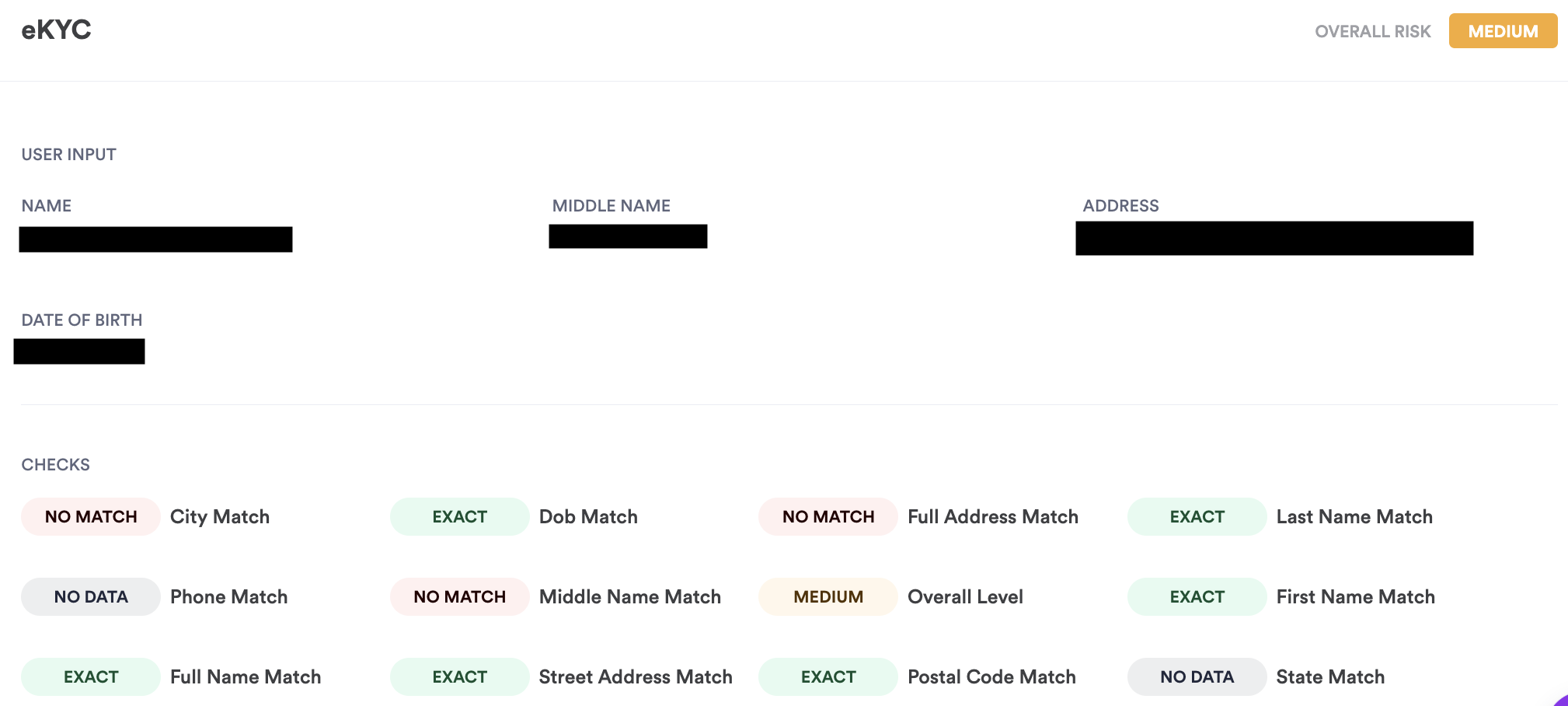
eKYC Single Session Dashboard result