
Face Match V1 vs V2 Comparison
In V1, Face Match presents a functional comparison of the selfie and ID portrait under a “Verifying photo based identity” heading, with limited branding and a result conveyed primarily through a tinted photo and a bottom status banner.
In V2, Face Match keeps the same core comparison but wraps it in a cleaner, fully branded experience: an Incode header, a “verified by Incode” trust footer, a simplified “Verifying identity” title, and explicit, dedicated result screens — a green “Matched!” success with a clear Continue CTA, and a distinct “Faces do not match” error state.
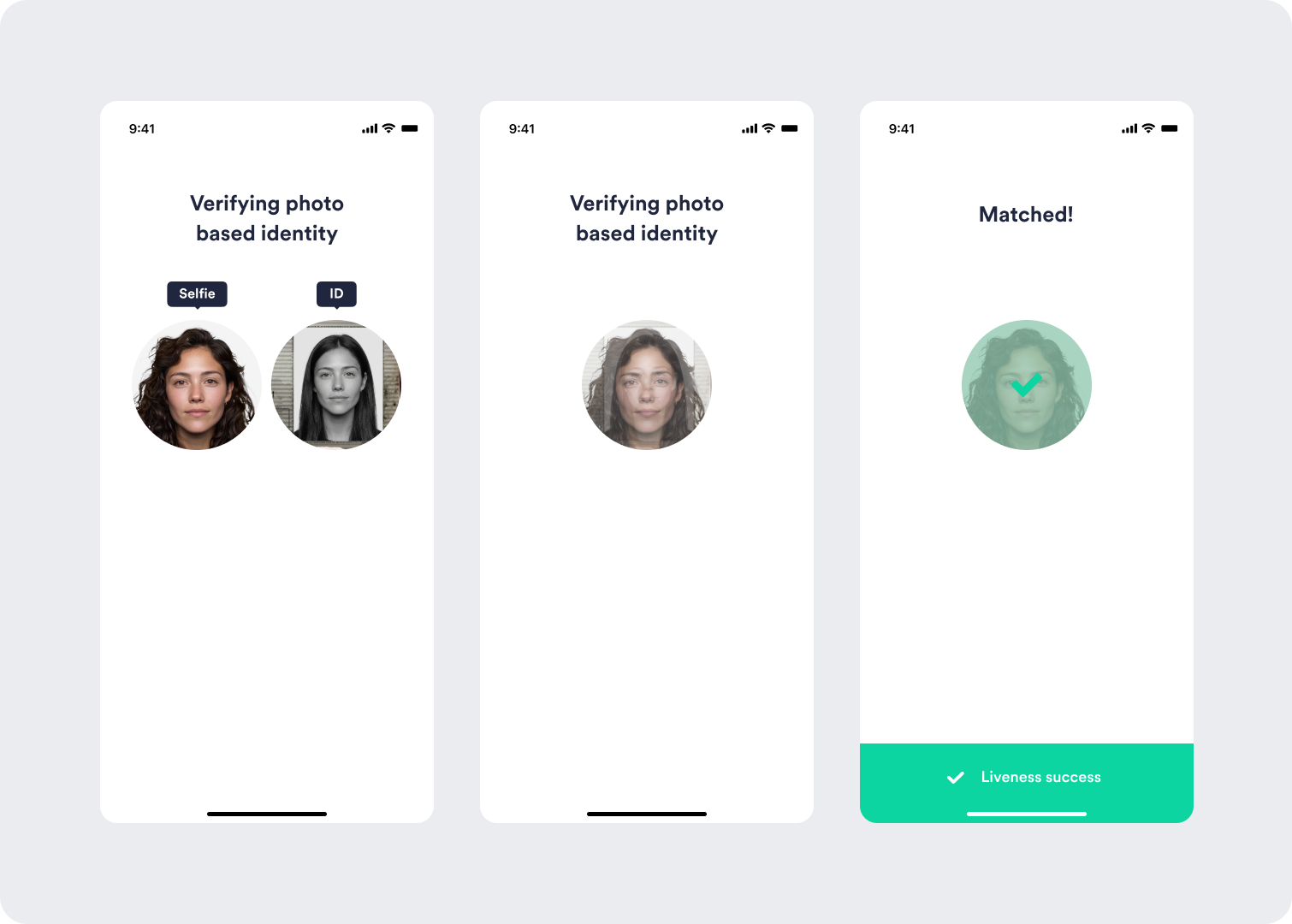
V1 — a functional comparison with limited branding; the result is shown via a tinted photo and a bottom status banner.
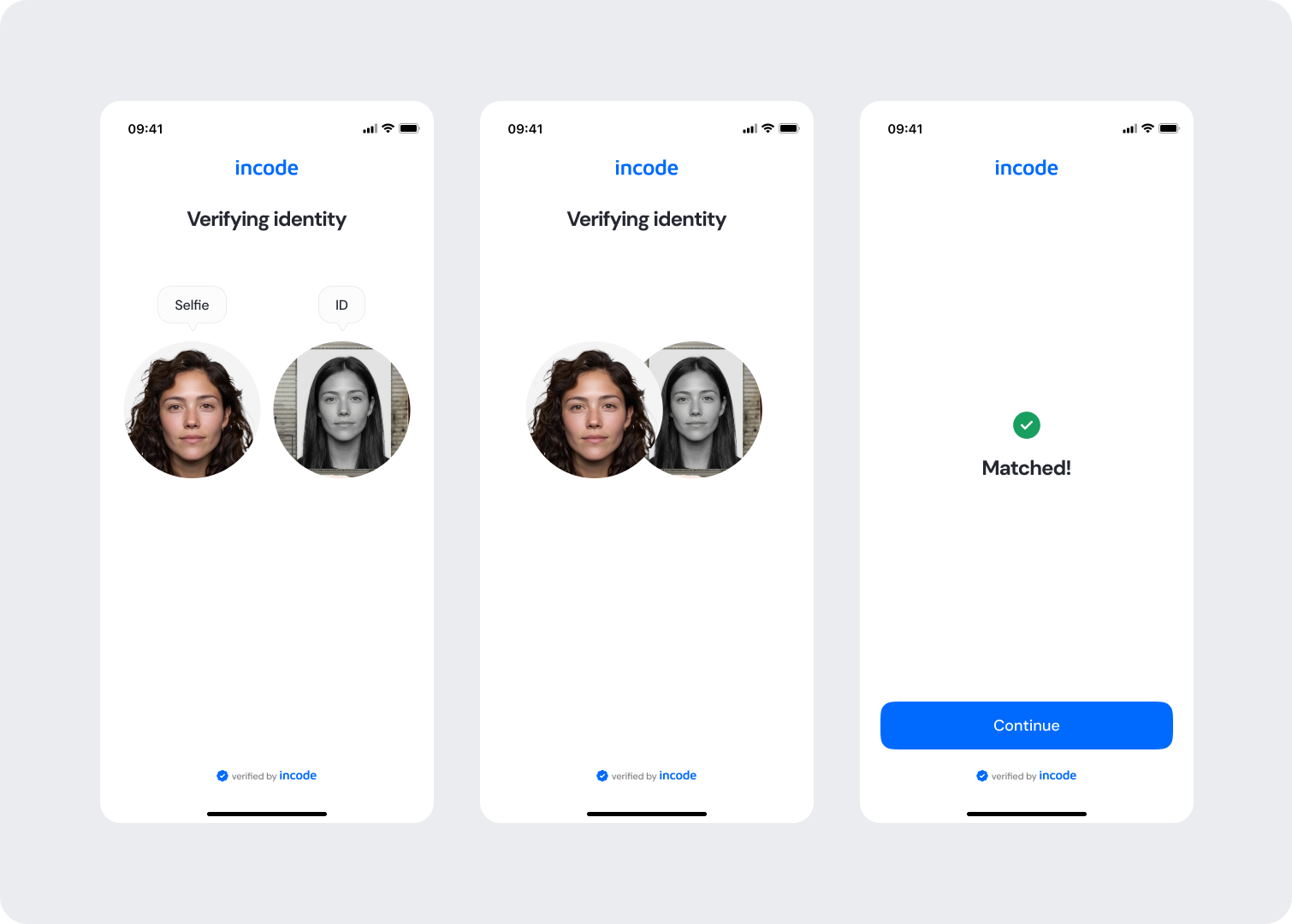
V2 — a fully branded, guided comparison with explicit match and no-match result screens and a clear next action.
Feature Comparison
Functional capabilities of the module (objective features only; no UX or performance differences).
| Capabilities | V1 | V2 | Notes |
|---|---|---|---|
| Selfie vs ID comparison | ✅ | ✅ | Both versions compare the live selfie against the ID portrait. |
| Match / no-match result | ✅ | ✅ | V2 presents dedicated success and error screens. |
| Result confirmation | ✅ | ✅ | V1 uses a tinted photo + status banner; V2 uses a clear result icon and message. |
| Brand header & trust footer | ❌ | ✅ | V2 adds the Incode logo header and “verified by Incode” footer. |
| Explicit Continue CTA | ❌ | ✅ | V2 adds a primary action on result screens. |
| Dedicated no-match error screen | ❌ | ✅ | V2 introduces a distinct “Faces do not match” state. |
| Customization options | ❌ | ✅ | V2 allows control over text, colors, and buttons via tokens. |
| Documentation completeness | ❌ | ✅ | V2 provides complete, standardized documentation coverage. |
Behavior Differences
How the module presents itself and behaves across states.
| Behavior | V1 | V2 | Notes |
|---|---|---|---|
| Heading | “Verifying photo based identity” | “Verifying identity” | V2 simplifies and lightens the title for clarity. |
| Image labels | Solid dark Selfie/ID pills | Lighter outline labels | V2 reduces visual weight while keeping clarity. |
| Branding | No header or footer | Incode header + “verified by Incode” footer | V2 reinforces trust and brand consistency. |
| Success presentation | Tinted photo + bottom “Liveness success” banner | Green check + “Matched!” + Continue CTA | V2 makes the outcome and next step explicit. |
| No-match handling | Limited / implicit | Dedicated “Faces do not match” screen with CTA | V2 communicates failure clearly and guides the user forward. |
Customization Overview
Customization in V2 is significantly simpler and more consistent across modules.
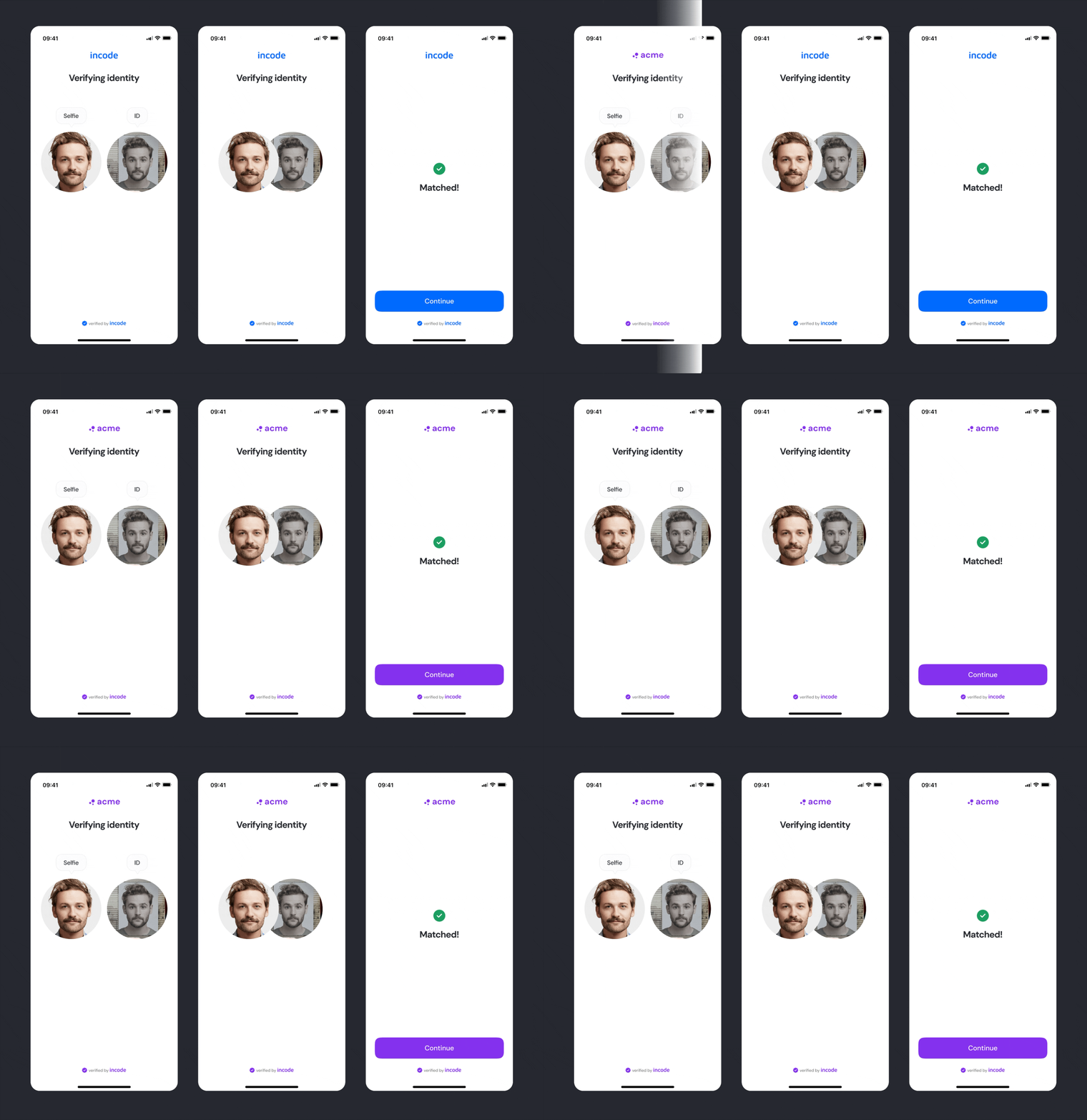
Customizing the experience to match your brand is simpler in V2
Instead of isolated options per screen, V2 uses a unified token-based system that controls visuals and behavior with fewer parameters and predictable outcomes. This means less engineering work, consistent branding across modules, and reduced risk of breaking flows.
For full details, visit the Customization tab of this module.
Updated about 1 month ago