
eKYC
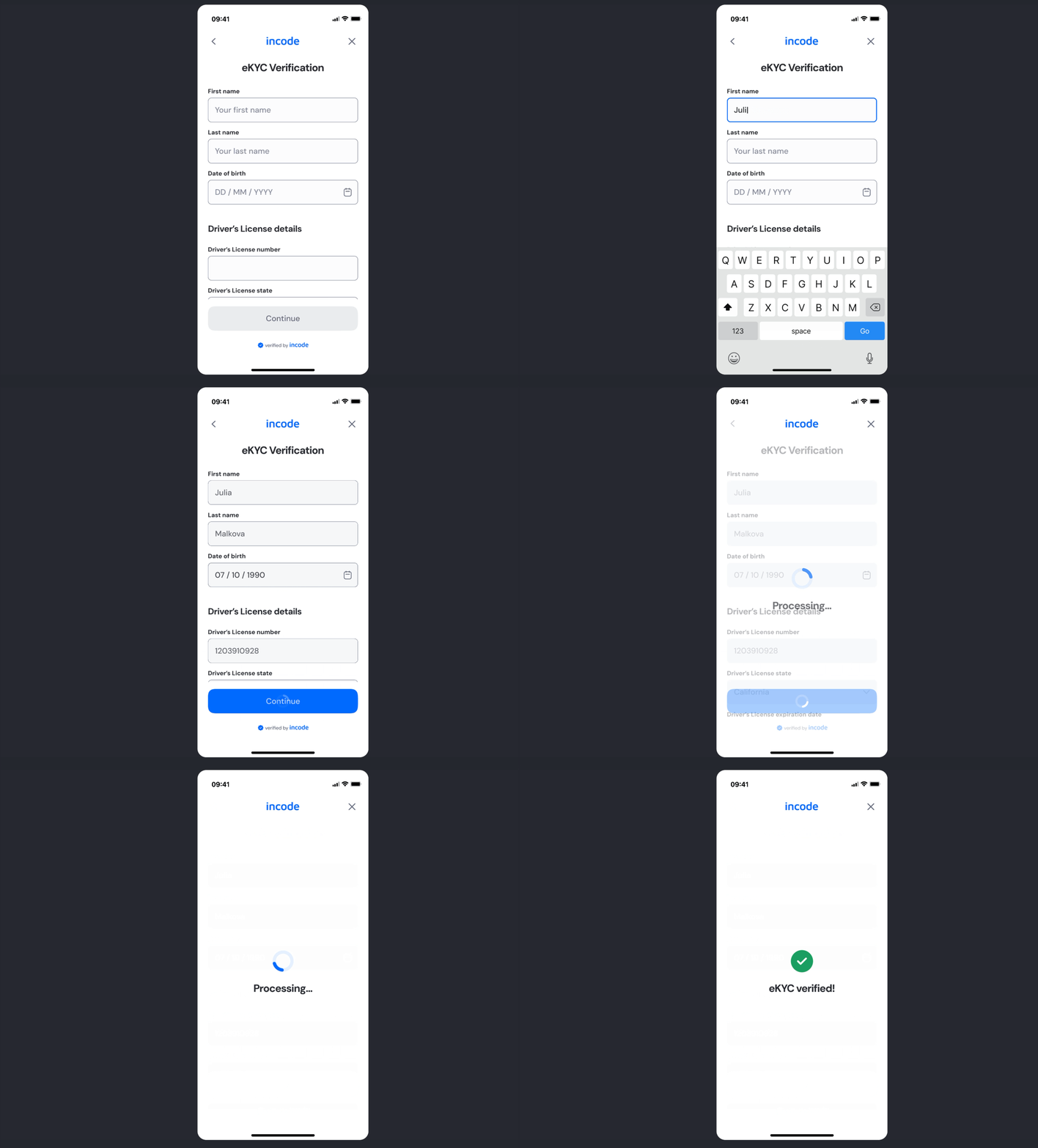
The eKYC Verification module collects user identity information and validates it against official records to confirm identity authenticity. It enables compliant, real-time identity verification within onboarding and regulatory flows.
This module is designed to be structured and secure, the module manages logic, processing states and verification outcomes with clear system feedback.
Where it fits in the flow
eKYC Verification is positioned after initial user data collection (such as phone or email verification) and before advanced verification modules (including document capture or biometric checks), depending on the configured onboarding flow.
User Flow
The eKYC Verification experience guides users through structured data entry and backend validation.
Full Flow Map
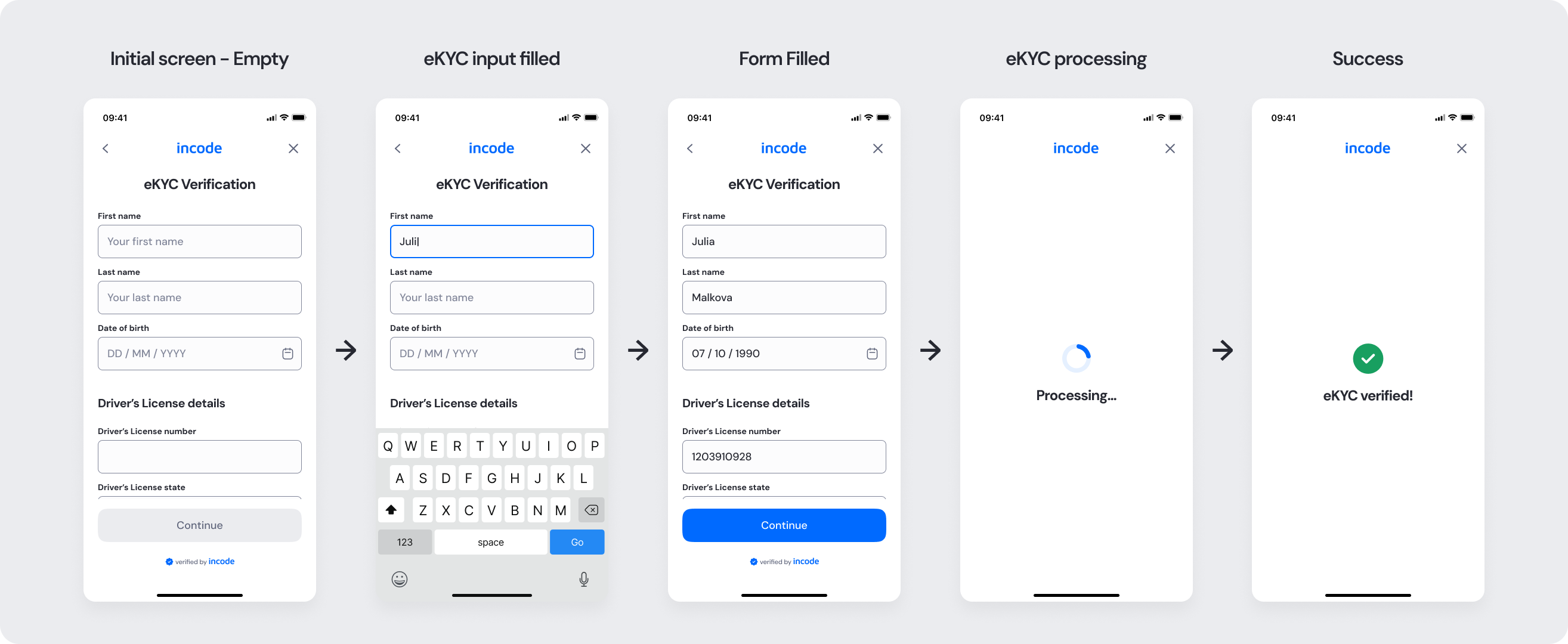
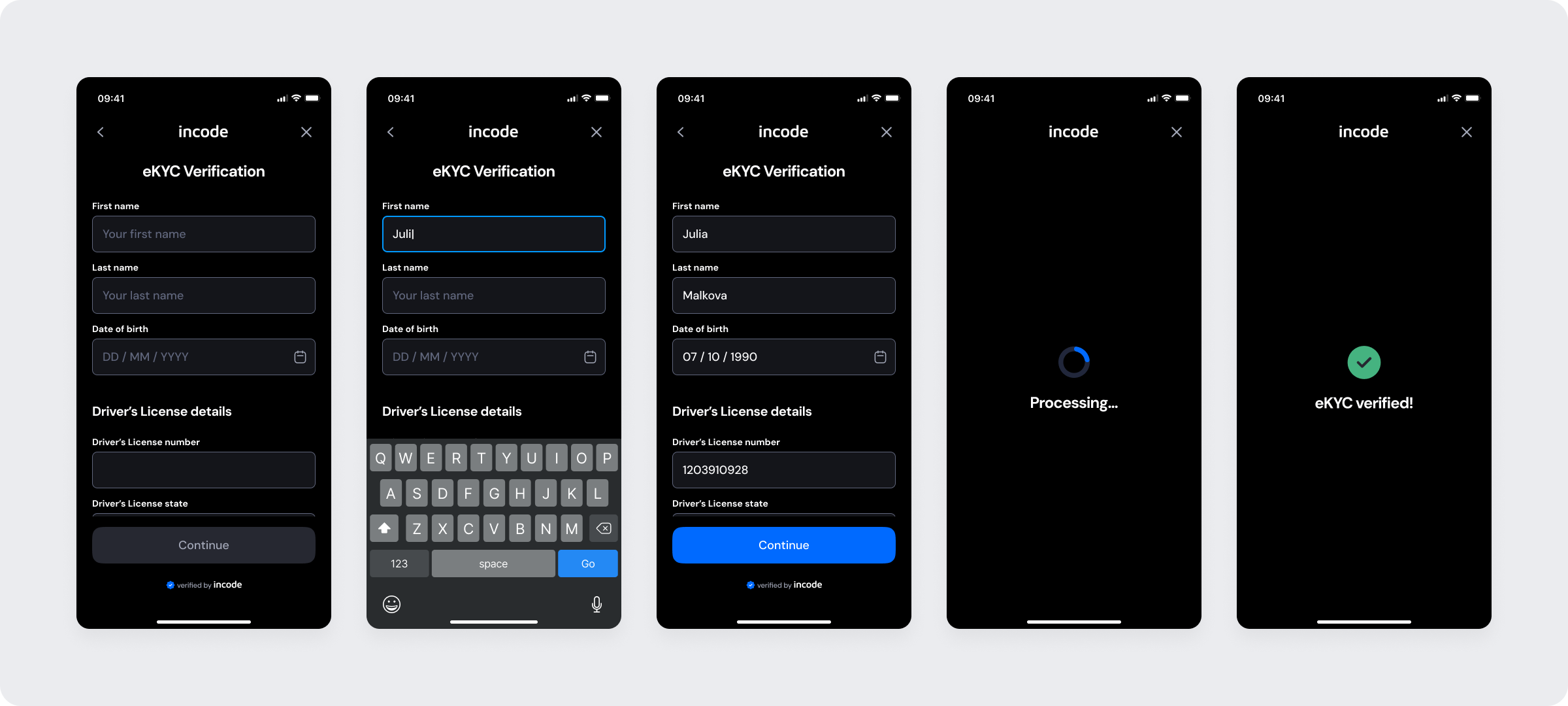
This diagram outlines the end-to-end screen sequence of the eKYC Verification module, including data input, validation states, and the success outcome.
Happy Path (Light & Dark)
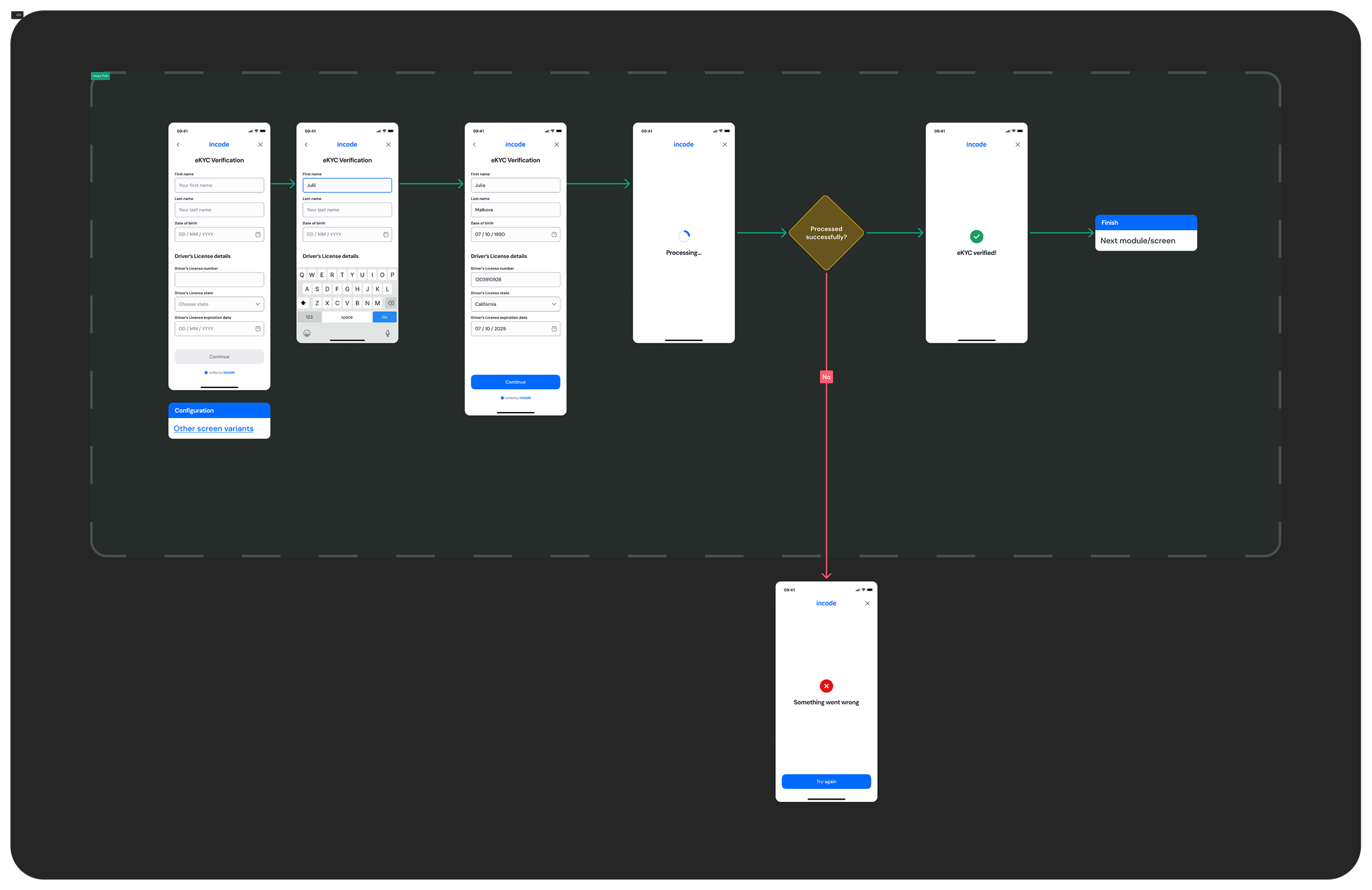
The ideal user journey occurs when identity information is submitted and verified successfully without interruptions.
The happy path represents the smoothest version of the experience: the user completes all required fields accurately, submits the form, and the system validates the information without mismatches or delays. The processing state resolves successfully on the first attempt, and the user reaches the confirmation screen without needing to retry or correct any data.
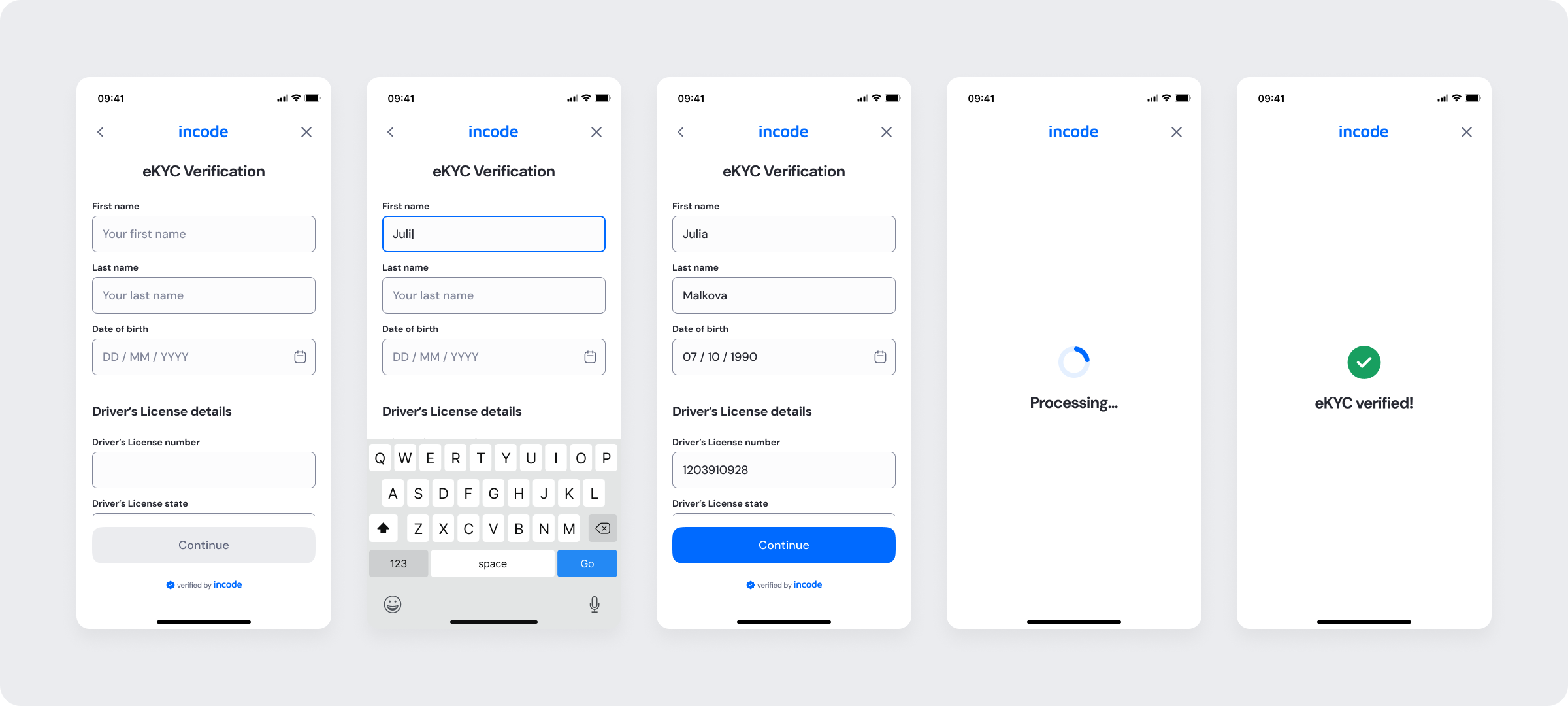
Light and dark mode previews are included to allow teams to validate visual consistency, accessibility, and contrast across themes and platforms.
Light mode
Dark mode
Best Practices
Recommended guidelines for designing and implementing the eKYC Verification experience.
✅ Do
- Keep the form structured, clean, and easy to scan.
- Use inline validation to prevent submission errors.
- Clearly indicate required fields and input formats.
- Preserve user-entered data if verification fails.
- Provide clear feedback during the processing state.
❌ Don’t
- Don’t delay validation until after submission.
- Don’t erase completed fields after backend errors.
- Don’t allow duplicate submissions while processing.
Updated about 8 hours ago