This section outlines the elements you can customize within the Advanced Signature module to match your brand while preserving Incode’s core UX. It clarifies which areas are flexible, such as text, illustrations, and brand colors and which elements remain fixed to ensure consistency, accessibility, and optimal capture performance across platforms.
Entry point of the Advanced Signature module. This screen presents the user with a consent form titled "Accept and sign," accompanied by a brief instruction to accept the terms before completing the signature.
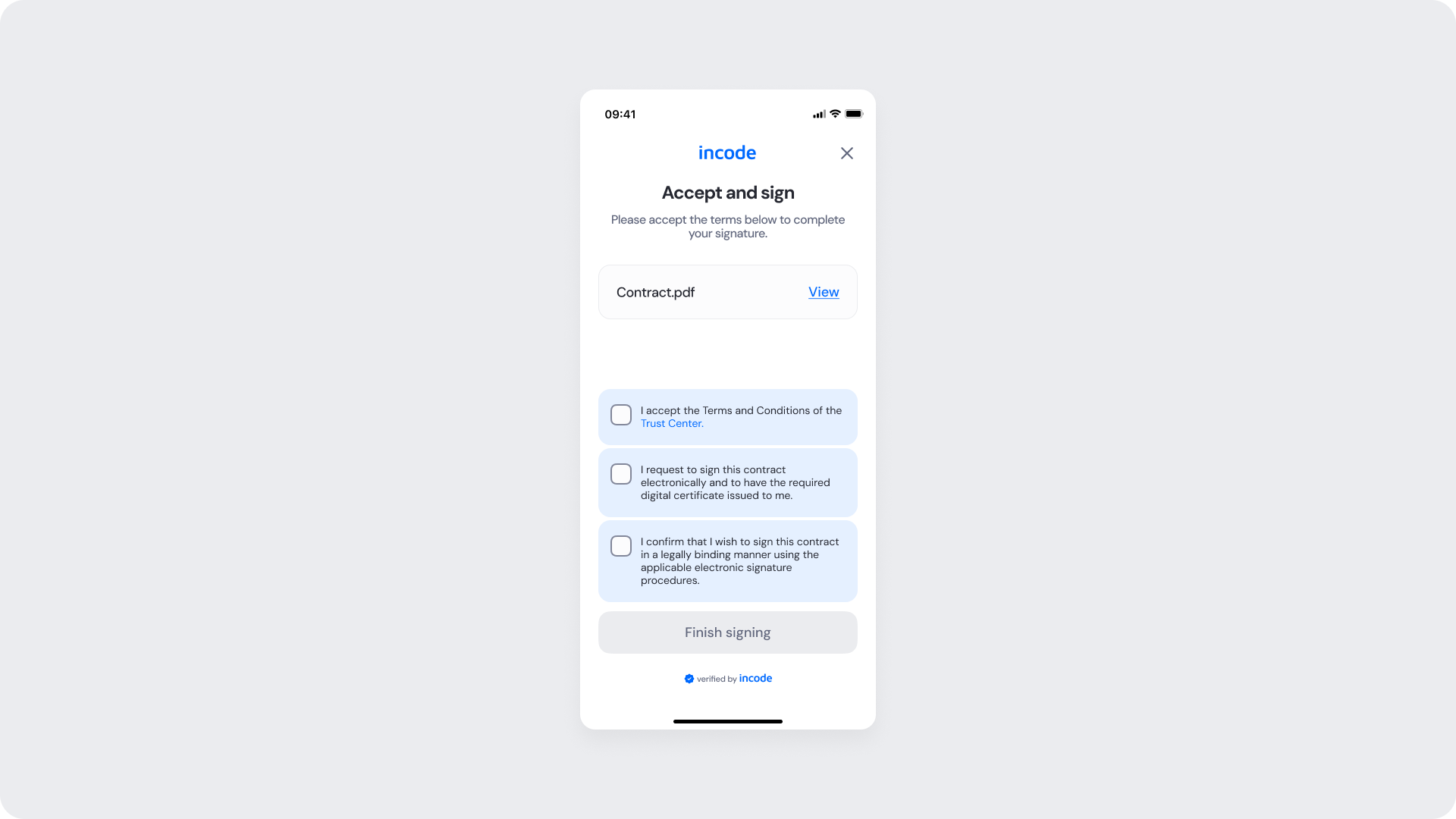
| Area | What can be customized | Notes |
|---|
| Text | Title ("Accept and sign"), instruction text, button text | Fully localizable; tone and terminology can be adapted to match brand voice. |
| Background Color | Screen background | Must maintain strong contrast with inputs, text, and CTAs for accessibility compliance. |
| Buttons (CTA) | Button label (“Finish signing”), background color, text color | Uses brand tokens |
| Brand Colors | Header text, accent color, input focus state, status indicators | Applied via design tokens; avoid reducing clarity in critical validation states. |
| Element | Why it is fixed |
|---|
| CTA state behavior | "Done" button remains disabled until a signature stroke is detected, preventing empty submissions. |
| Processing flow behavior | Prevents duplicate submissions and manages loading states during signature capture. |
| Text hierarchy | Maintains clear task communication and visual clarity within the flow. |
| WCAG contrast requirements | Mandatory for accessibility compliance and inclusive user experience. |
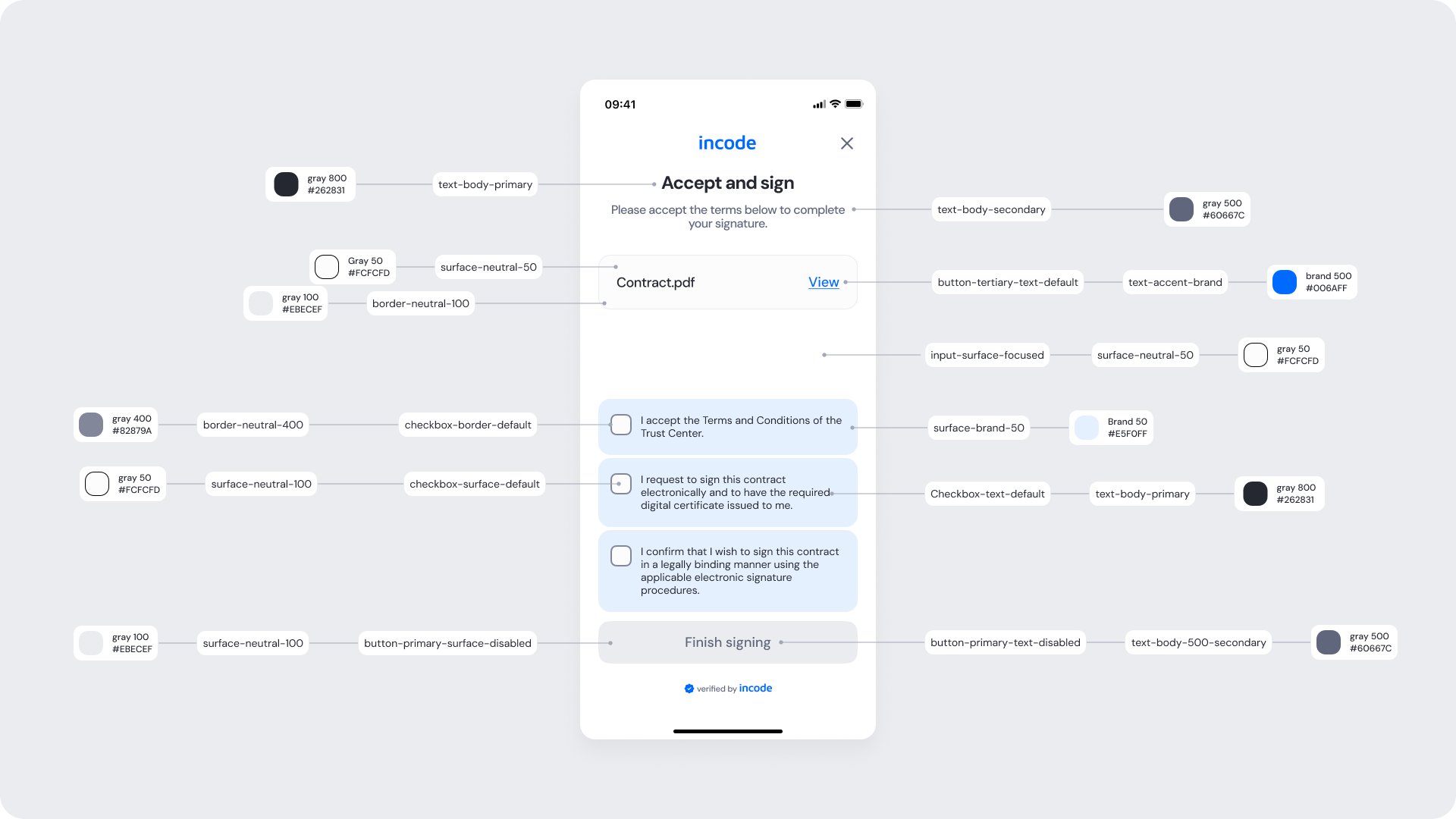
| UI Element | Token | Raw Value |
|---|
| Title text (Accept and sign) | text-body-primary | #262831 |
| Instruction text | text-body-secondary | #60667C |
| Document row surface | surface-neutral-50 | #F5F6F7 |
| Document row border | border-neutral-100 | #E6E8EF |
| Document name text | text-body-primary | #262831 |
| “View” link | button-tertiary-text-default | #0046FF |
| Background | surface-neutral-0 | #FFFFFF |
| Checkbox border (default) | checkbox-border-default | #CFCFDF |
| Checkbox surface (default) | checkbox-surface-default | #FCFCFD |
| Checkbox text | checkbox-text-default | #262831 |
| Checkbox group surface (selected state) | surface-brand-50 | #EAF0FF |
| Secondary container border | border-neutral-400 | #82879A |
| Secondary container surface | surface-neutral-100 | #F5F6F7 |
| Primary button (disabled) background | button-primary-surface-disabled | #EBECEF |
| Primary button (disabled) text | button-primary-text-disabled | #60667C |
- Keep field labels and helper text concise to reduce cognitive load.
- Use brand colors sparingly for focus states and primary CTAs to maintain clarity.
- Preserve sufficient color contrast across all states (idle, focus, error, disabled).
This screen reflects the state after the user has checked all three consent checkboxes. Each checkbox is now marked and highlighted in blue, confirming the user's agreement to the terms.
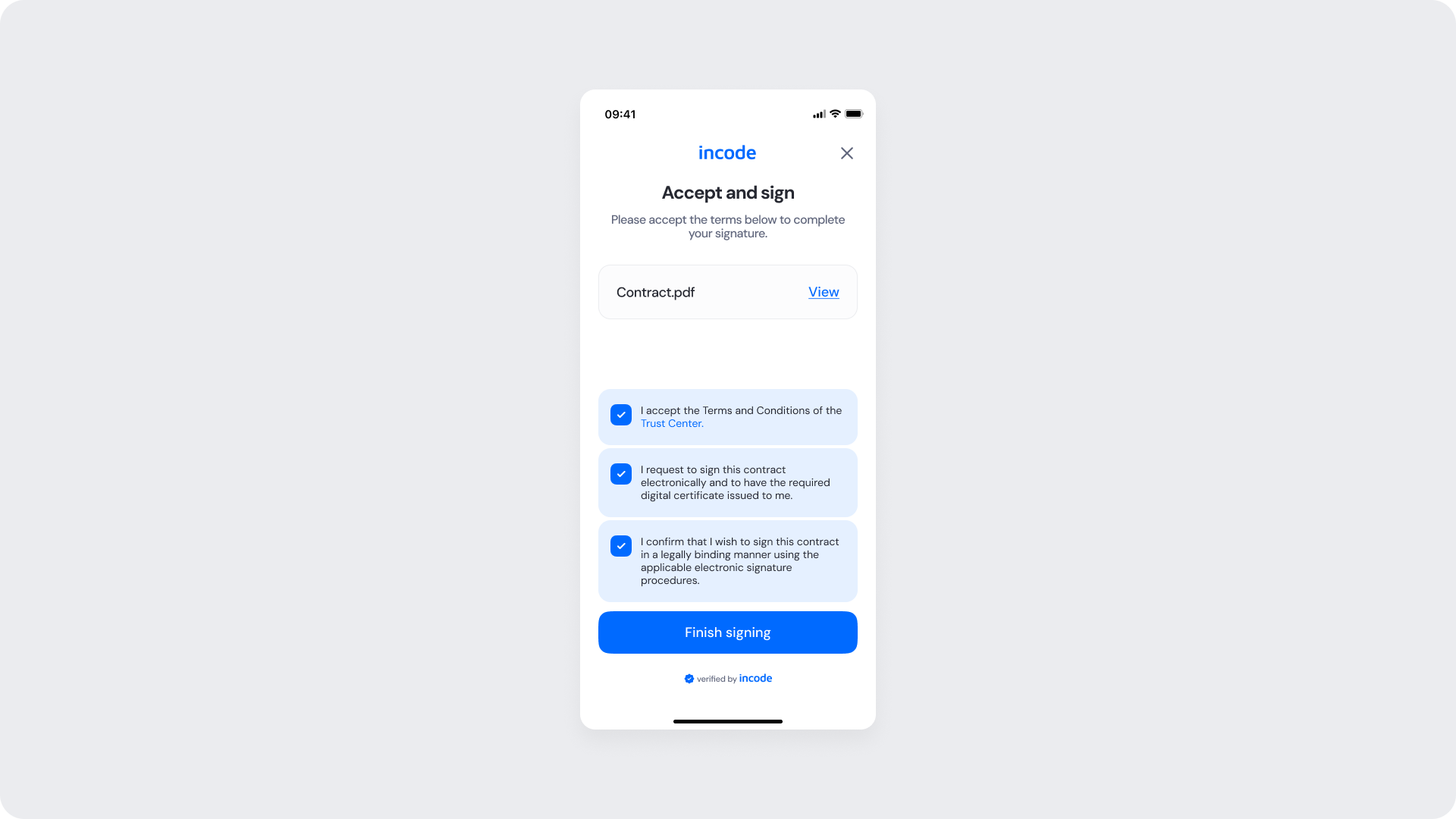
| Area | What can be customized | Notes |
|---|
| Text Elements | Title, instruction text, button text, badge text | Fully localizable. Tone and terminology can align with brand and regulatory requirements. |
| Color Styling | Background, input surfaces, text color, focus state, CTA background and text color | Applied via design tokens. Must maintain accessibility contrast standards. |
| CTA Label | Primary button text (e.g., “Finish signing”) | Editable; action meaning must remain consistent with flow behavior. |
| Localization | All textual content | Supports full localization. Layout should accommodate text expansion. |
| Element | Why it is fixed |
|---|
| CTA enabled behavior | "Done" button is enabled only when a valid signature is present on the canvas. |
| Component spacing & safe areas | Ensures cross-device consistency and accessibility. |
| Text hierarchy | Maintains clear task communication and visual structure. |
| WCAG contrast requirements | Mandatory for accessibility compliance. |
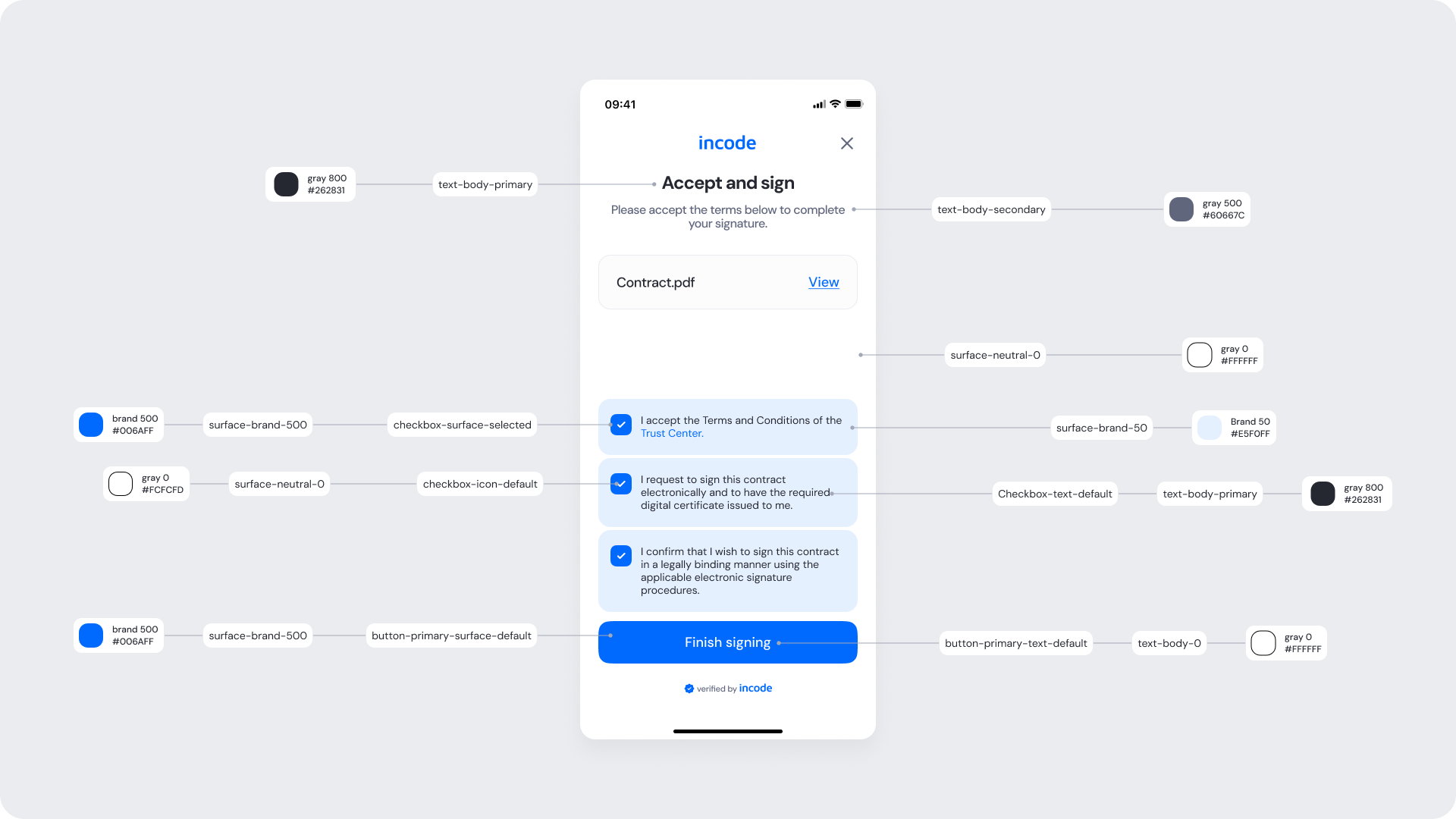
| UI Element | Token | Raw Value |
|---|
| Title text (Accept and sign) | text-body-primary | #262831 |
| Instruction text | text-body-secondary | #60667C |
| Screen background | surface-neutral-100 | #EBECEF |
| Modal/card surface | surface-neutral-0 | #FFFFFF |
| Document row surface | surface-neutral-50 | #F5F6F7 |
| Document name text | text-body-primary | #262831 |
| “View” link | button-tertiary-text-default | #0046FF |
| Checkbox surface (default) | checkbox-surface-default | #FCFCFD |
| Checkbox icon (checkmark) | checkbox-icon-default | #FFFFFF |
| Checkbox surface (selected) | checkbox-surface-selected | #0046FF |
| Checkbox container surface (group selected) | surface-brand-50 | #EAF0FF |
| Checkbox text | checkbox-text-default | #262831 |
| Primary button background (default) | button-primary-surface-default | #0046FF |
| Primary button text (default) | button-primary-text-default | #FFFFFF |
- Keep the layout clear and vertically structured to reduce cognitive load.
- The enabled "Finish signing" button signals readiness to submit, using a distinct color shift from its disabled state to reinforce interactivity.
Transitional state shown after the user taps "Finish signing." The screen retains the consent form layout while a loading spinner appears on the "Finish signing" button, providing visual feedback that the system is processing the request.
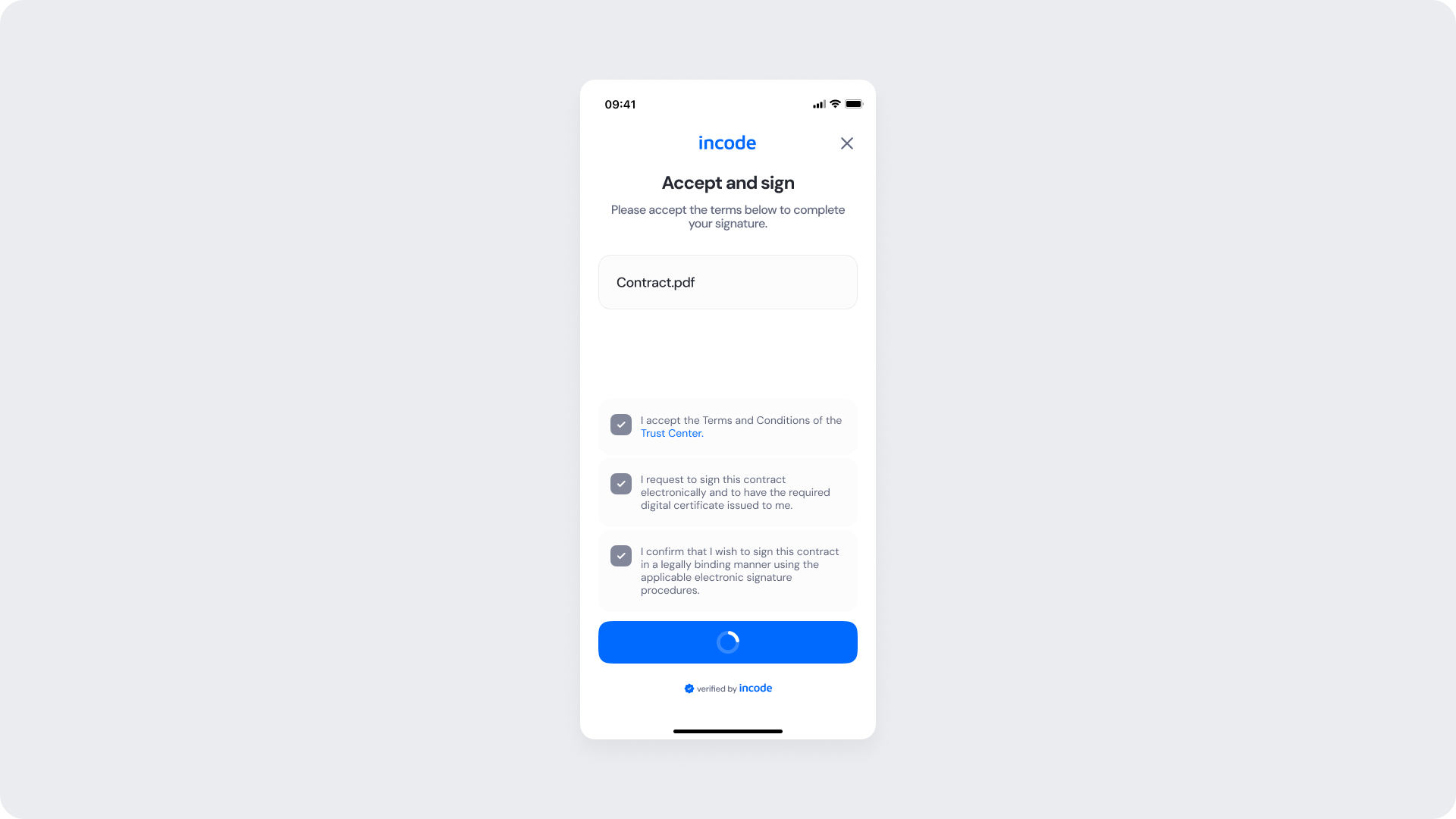
| Area | What can be customized | Notes |
|---|
| Text Elements | Title, success message, footer text | Fully localizable. Wording can align with brand tone and regulatory language. |
| Color Styling | Background, text color, success icon color, CTA color | Applied via design tokens. Must maintain accessibility contrast, even in disabled states. |
| Localization | All text content | Supports full translation. Layout should account for text expansion. |
| Element | Why it is fixed |
|---|
| Processing flow logic | Controlled by backend verification services; cannot be modified at UI level. |
| Form structure hierarchy | Field order and grouping remain standardized for consistency. |
| WCAG contrast requirements | Accessibility compliance is mandatory, including disabled and loading states. |
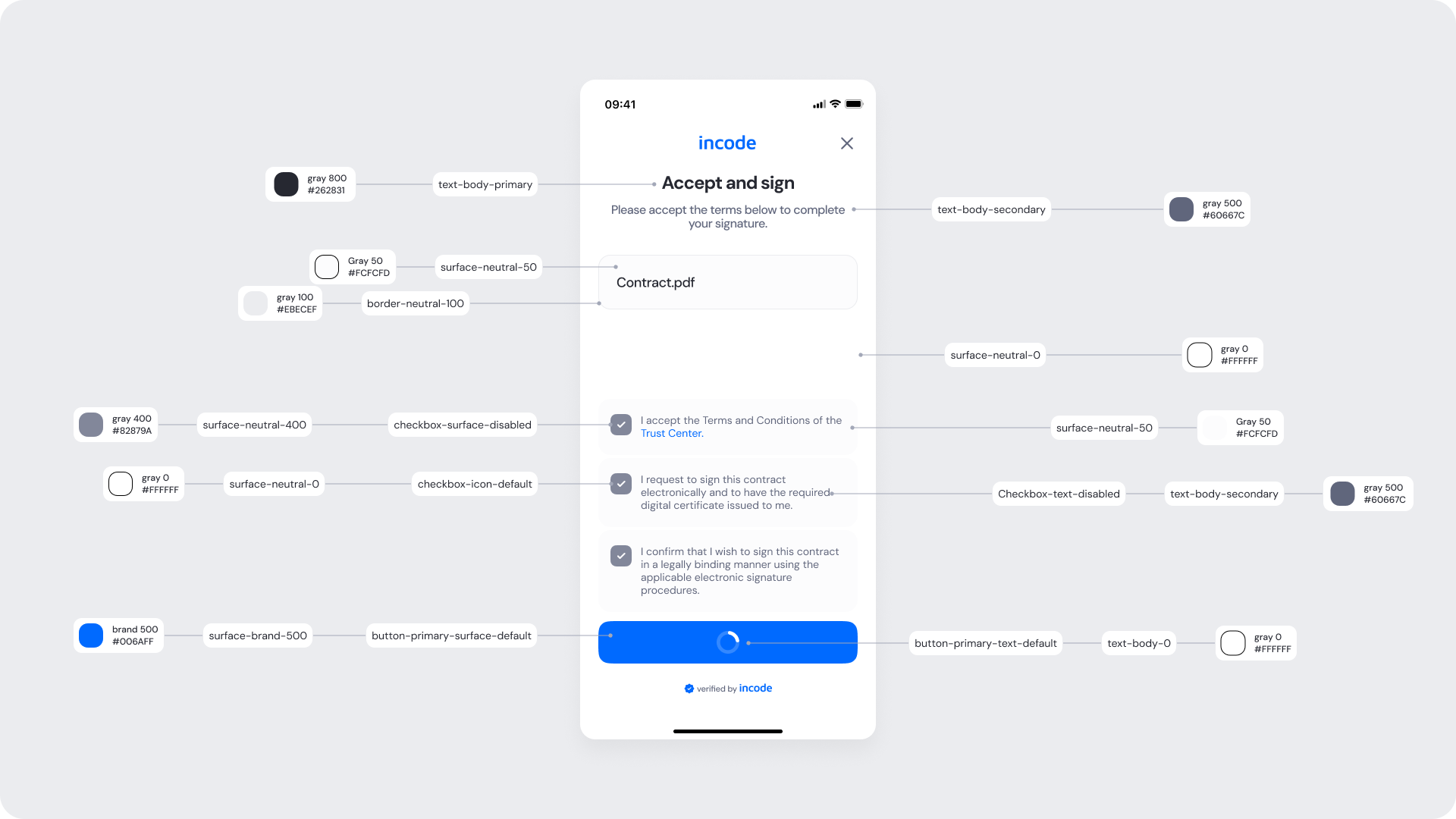
| UI Element | Token | Raw Value |
|---|
| Title text (Accept and sign) | text-body-primary | #262831 |
| Instruction text | text-body-secondary | #60667C |
| Background | surface-neutral-0 | #FFFFFF |
| Document row surface | surface-neutral-50 | #FCFCFD |
| Document row border | border-neutral-100 | #EBECEF |
| Document name text | text-body-primary | #262831 |
| Main content surface | surface-neutral-0 | #FFFFFF |
| Checkbox surface (disabled) | checkbox-surface-disabled | #82879A |
| Checkbox icon (checkmark) | checkbox-icon-default | #FFFFFF |
| Checkbox container surface (disabled group) | surface-neutral-400 | #82879A |
| Checkbox text (disabled) | checkbox-text-disabled | #60667C |
| Primary button background (loading/default) | button-primary-surface-default | #006AFF |
| Primary button text | button-primary-text-default | #FFFFFF |
| Loading spinner (on button) | icon-inverse | #FFFFFF |
- Preserve layout stability when switching to loading state.
- Maintain accessible contrast for spinner and disabled elements.
Intermediate screen displayed while the system processes the signature submission. The screen shows a spinning progress indicator alongside the text "Processing…", communicating to the user that their action is being handled and they should wait.
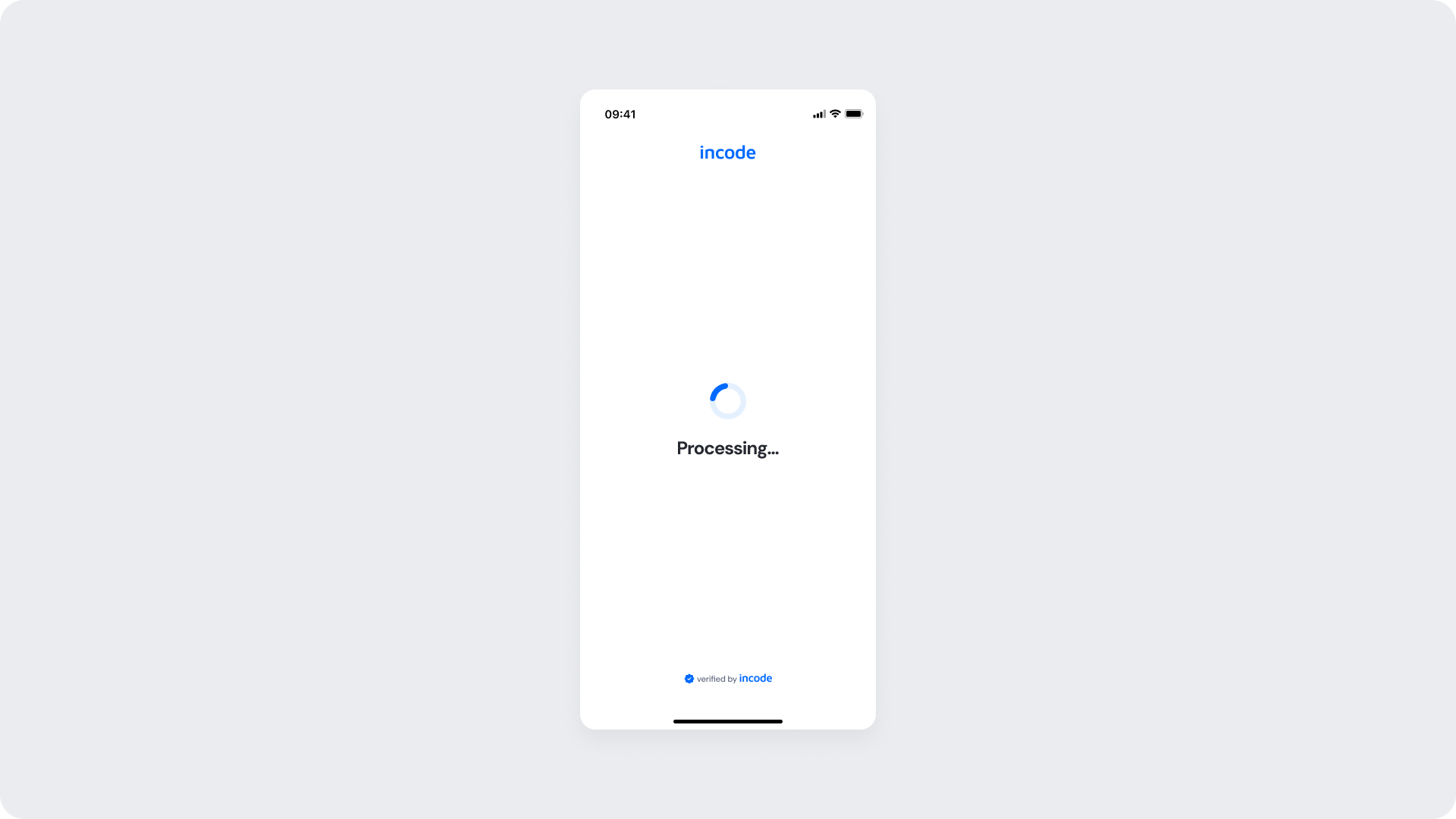
| Area | What can be customized | Notes |
|---|
| Text Elements | Title, success message, footer text | Fully localizable. Wording can align with brand tone and regulatory language. |
| Color Styling | Background, text color, success icon color, CTA color | Applied via design tokens. Must maintain accessibility contrast, even in disabled states. |
| Localization | All text content | Supports full translation. Layout should account for text expansion. |
| Element | Why it is fixed |
|---|
| Processing flow logic | Controlled by backend verification services; cannot be modified at UI level. |
| Form structure hierarchy | Field order and grouping remain standardized for consistency. |
| WCAG contrast requirements | Accessibility compliance is mandatory, including disabled and loading states. |
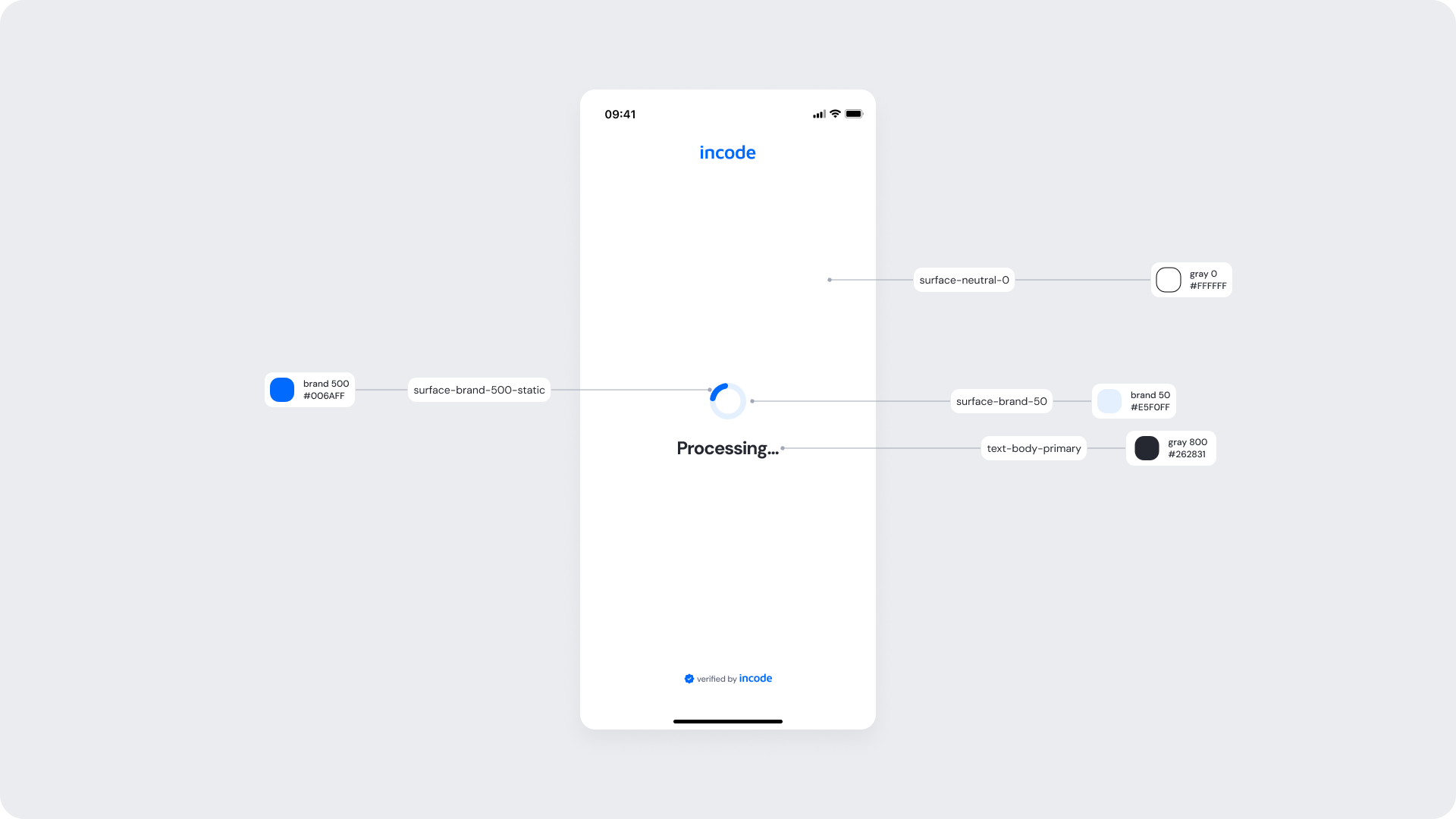
| UI Element | Token | Raw Value |
|---|
| Screen background | surface-neutral-0 | #FFFFFF |
| Spinner (active stroke) | surface-brand-500-static | #006AFF |
| Spinner (track/background) | surface-brand-50 | #EAF0FF |
| Processing text (“Processing…”) | text-body-primary | #262831 |
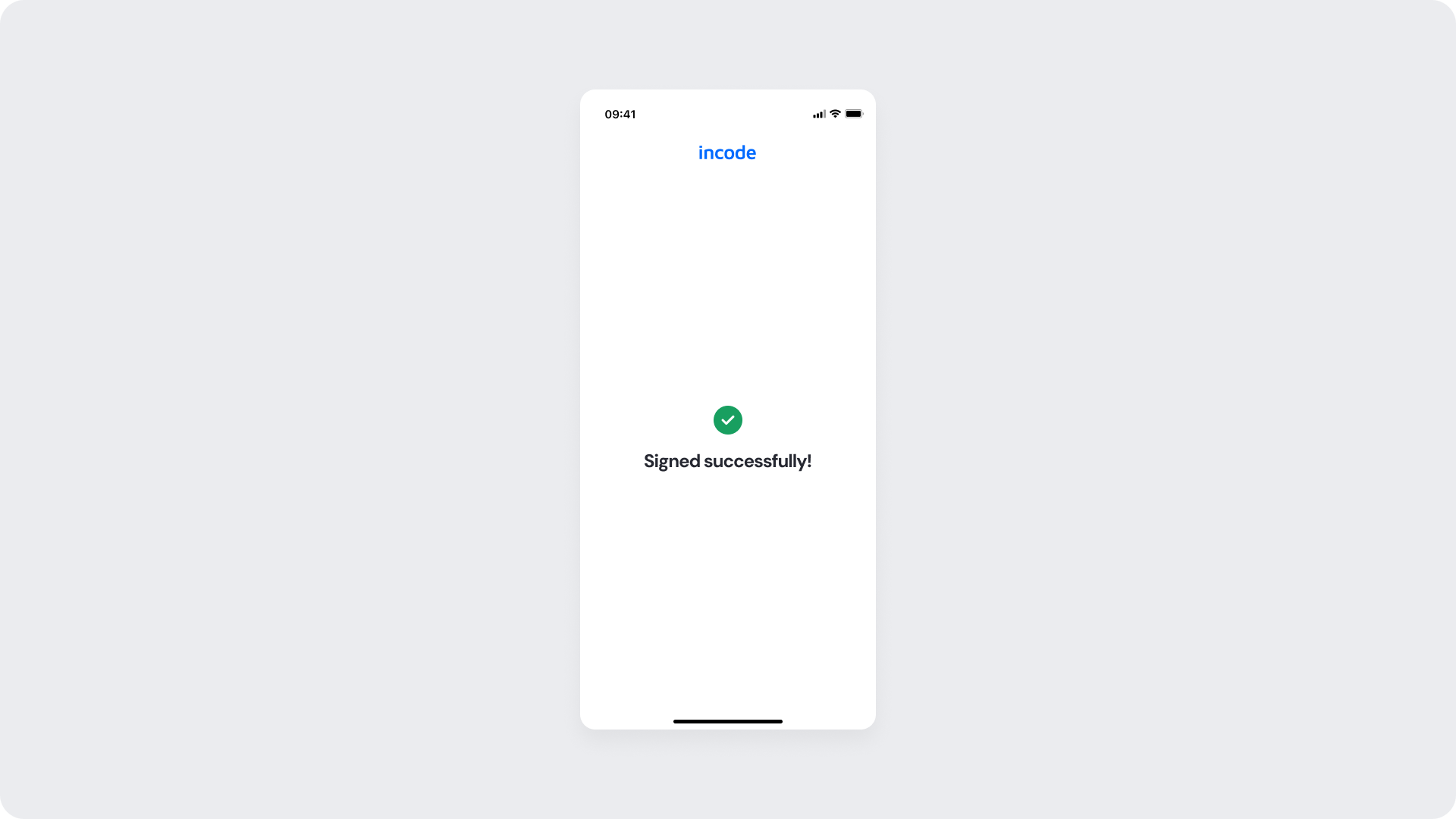
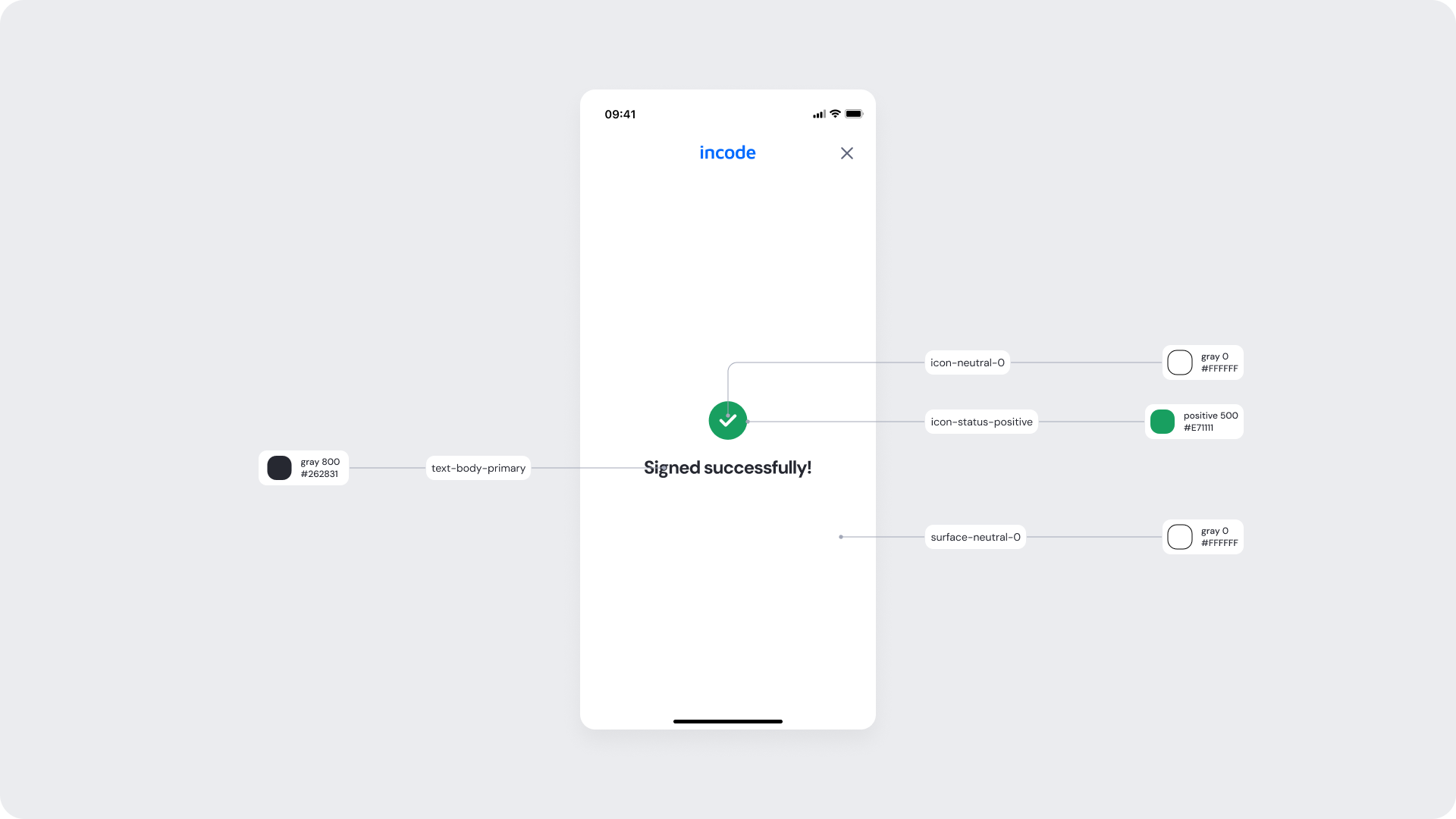
Final confirmation screen of the Advanced Signature module. After processing completes, the screen displays a green checkmark icon along with the message "Signed successfully!" confirming that the signature has been captured and the process is complete. No further user action is required.
| Area | What can be customized | Notes |
|---|
| Text Elements | Title, success message, footer text | Fully localizable. Wording can align with brand tone and regulatory language. |
| Color Styling | Background, text color, success icon color, CTA color | Applied via design tokens. Must maintain accessibility contrast, even in disabled states. |
| Localization | All text content | Supports full translation. Layout should account for text expansion. |
| Element | Why it is fixed |
|---|
| Processing flow logic | Controlled by backend verification services; cannot be modified at UI level. |
| Form structure hierarchy | Field order and grouping remain standardized for consistency. |
| WCAG contrast requirements | Accessibility compliance is mandatory, including disabled and loading states. |
| UI Element | Token | Raw Value |
|---|
| Screen background | surface-neutral-0 | #FFFFFF |
| Success icon background | icon-status-positive | #1E7F11 |
| Success icon (check) | icon-neutral-0 | #FFFFFF |
| Title text (“Signed successfully!”) | text-body-primary | #262831 |
