This section outlines the elements you can customize within the Watchlist module to match your brand while preserving Incode’s core UX. It clarifies which areas are flexible, such as text, illustrations, and brand colors and which elements remain fixed to ensure consistency, accessibility, and optimal capture performance across platforms.
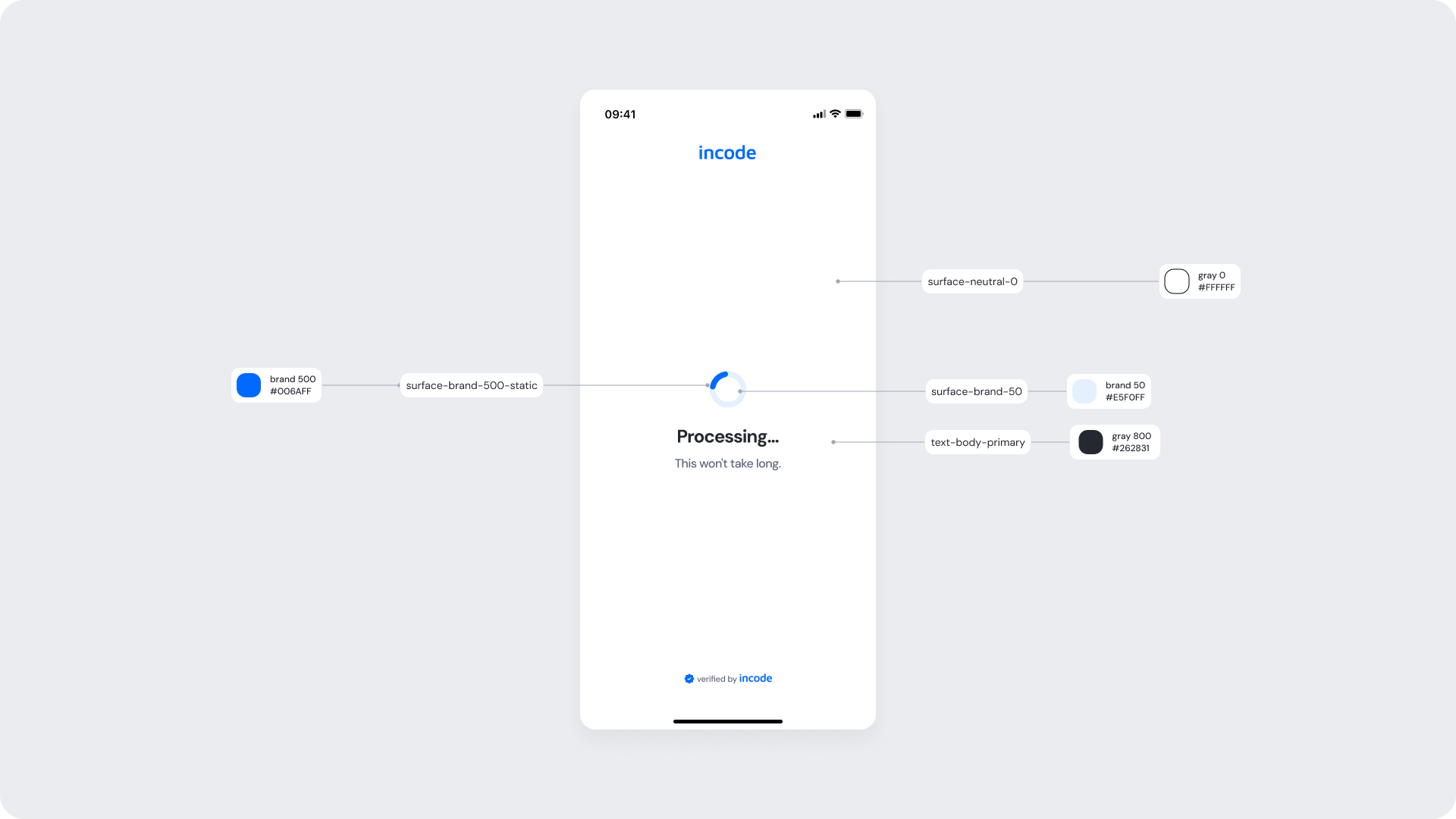
Entry point of the Watchlist module. This screen informs the user that their information is being processed and screened against sanctions lists, Politically Exposed Persons (PEPs), and compliance watchlists. A loading indicator communicates that the verification is currently in progress while temporarily preventing duplicate submissions or interruptions..
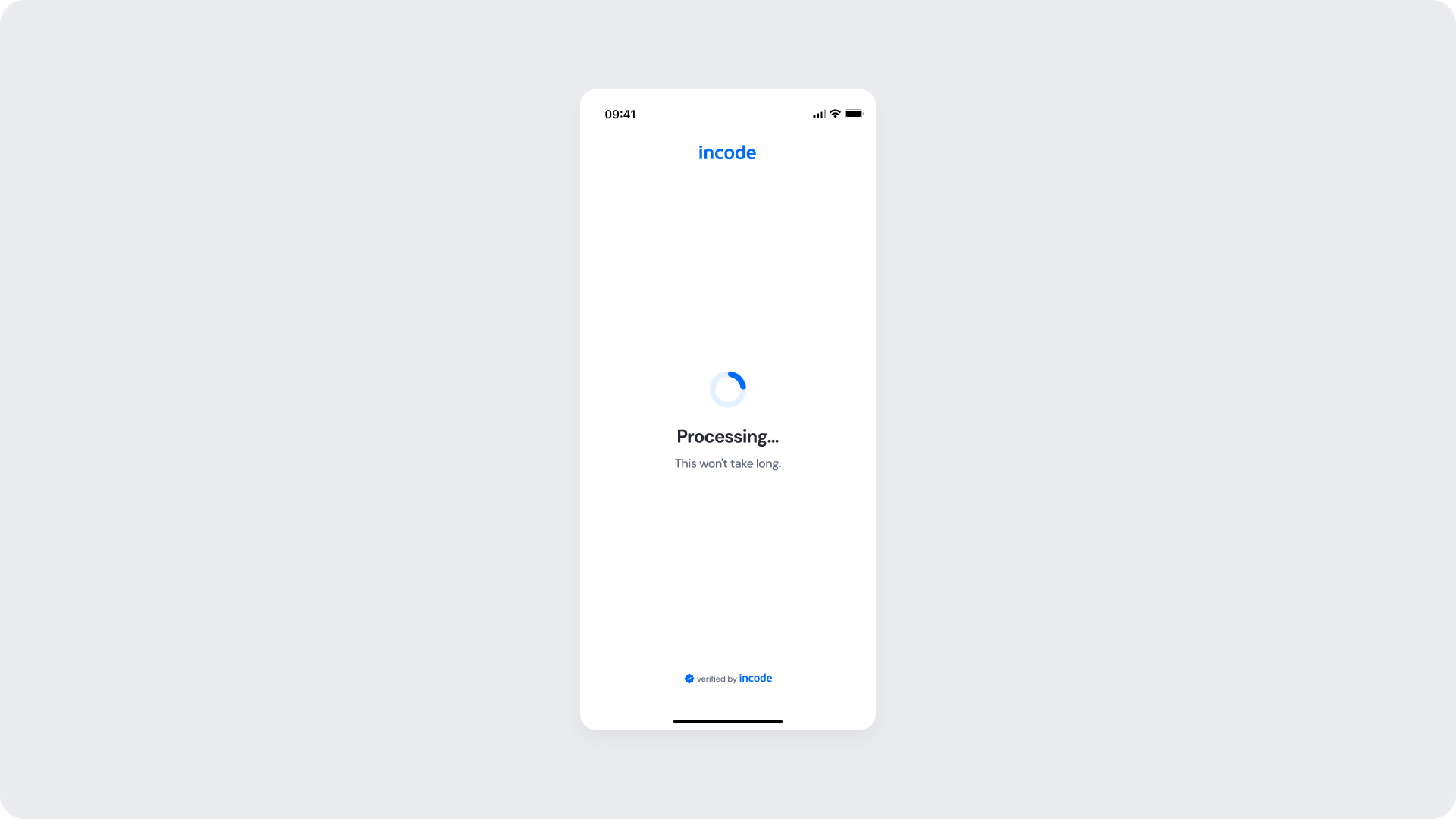
| Area | What can be customized | Notes |
|---|
| Text Elements | Processing title, status message, helper text | Fully localizable. Tone and terminology can align with brand and compliance requirements. |
| Color Styling | Background color, text color, loading indicator color, status icon color | Applied via design tokens. Must preserve accessibility contrast across all states. |
| Branding | Logo placement, typography styles, accent colors | Branding updates should maintain readability and consistency throughout the verification flow. |
| Localization | All textual content and regional formatting | Supports localization and translation. Layout should account for text expansion across languages. |
| Loading Indicator | Spinner style and animation behavior | Customizable within approved motion and accessibility guidelines. |
| Status Messaging | Processing and success confirmation copy | Messaging should remain concise, clear, and compliant with regulatory communication standards. |
| Element | Why it is fixed |
|---|
| Processing flow behavior | Prevents duplicate submissions and manages loading states during signature capture. |
| Text hierarchy | Maintains clear task communication and visual clarity within the flow. |
| WCAG contrast requirements | Mandatory for accessibility compliance and inclusive user experience. |
| UI Element | Token | Raw Value |
|---|
| Screen background | surface-neutral-0 | #FFFFFF |
| Processing spinner | surface-brand-400 | #3388FF |
| Processing title text | text-body-primary | #262831 |
| Processing helper text | text-body-secondary | #60667C |
| Success icon background | icon-status-positive | #1E7F11 |
| Success icon (check) | icon-neutral-0 | #FFFFFF |
| Success title text | text-body-primary | #262831 |
- Keep processing and success messaging concise to reduce cognitive load during verification.
- Preserve sufficient color contrast across all states, including processing, success, disabled, and error states.
- Maintain consistent spacing, typography, and iconography across all watchlist states to reinforce flow continuity.
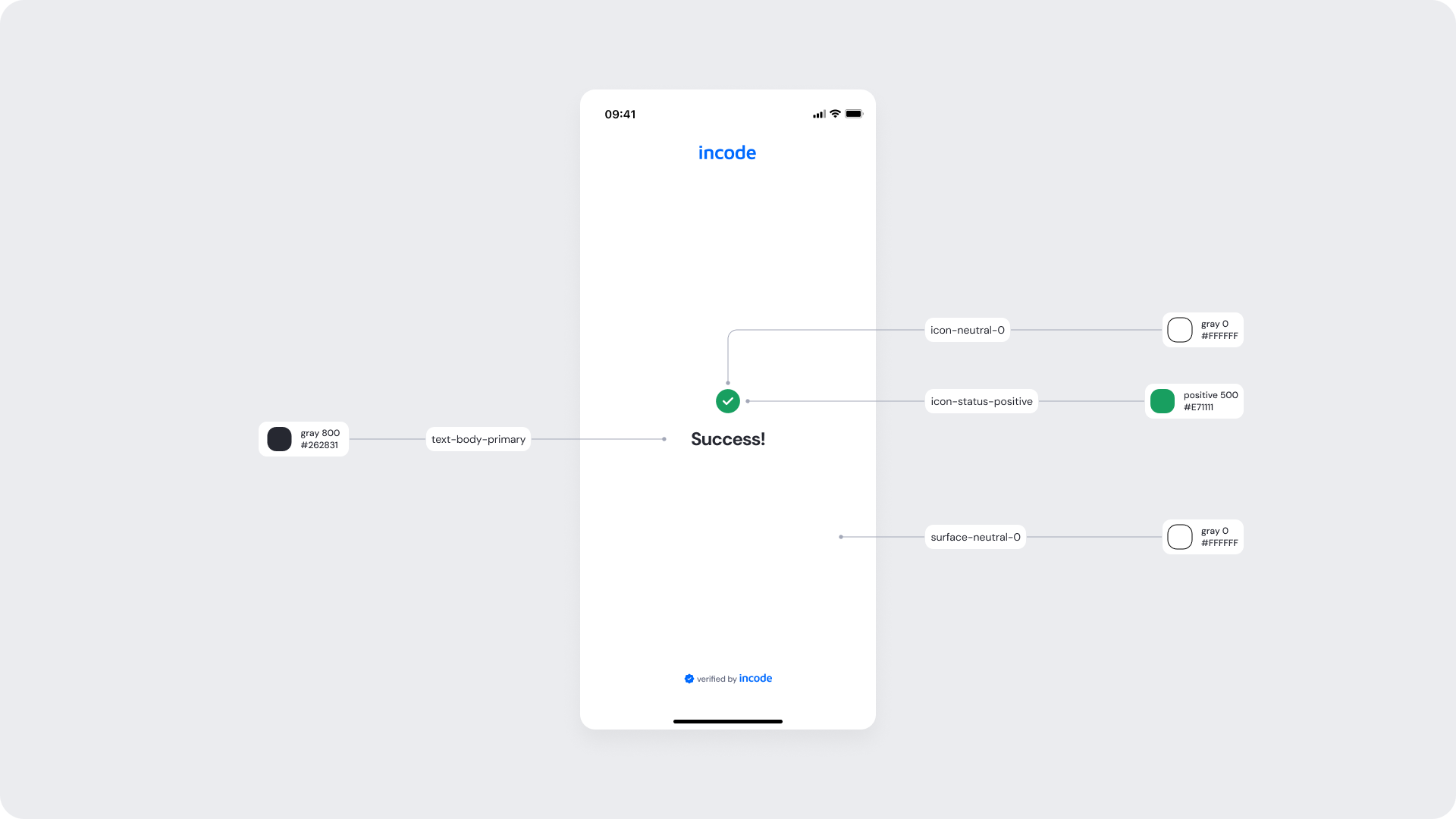
The screen displays a success indicator and confirmation message, communicating that the user’s information has been successfully screened against sanctions lists, Politically Exposed Persons (PEPs), and compliance watchlists, allowing the user to proceed to the next step of the onboarding flow..
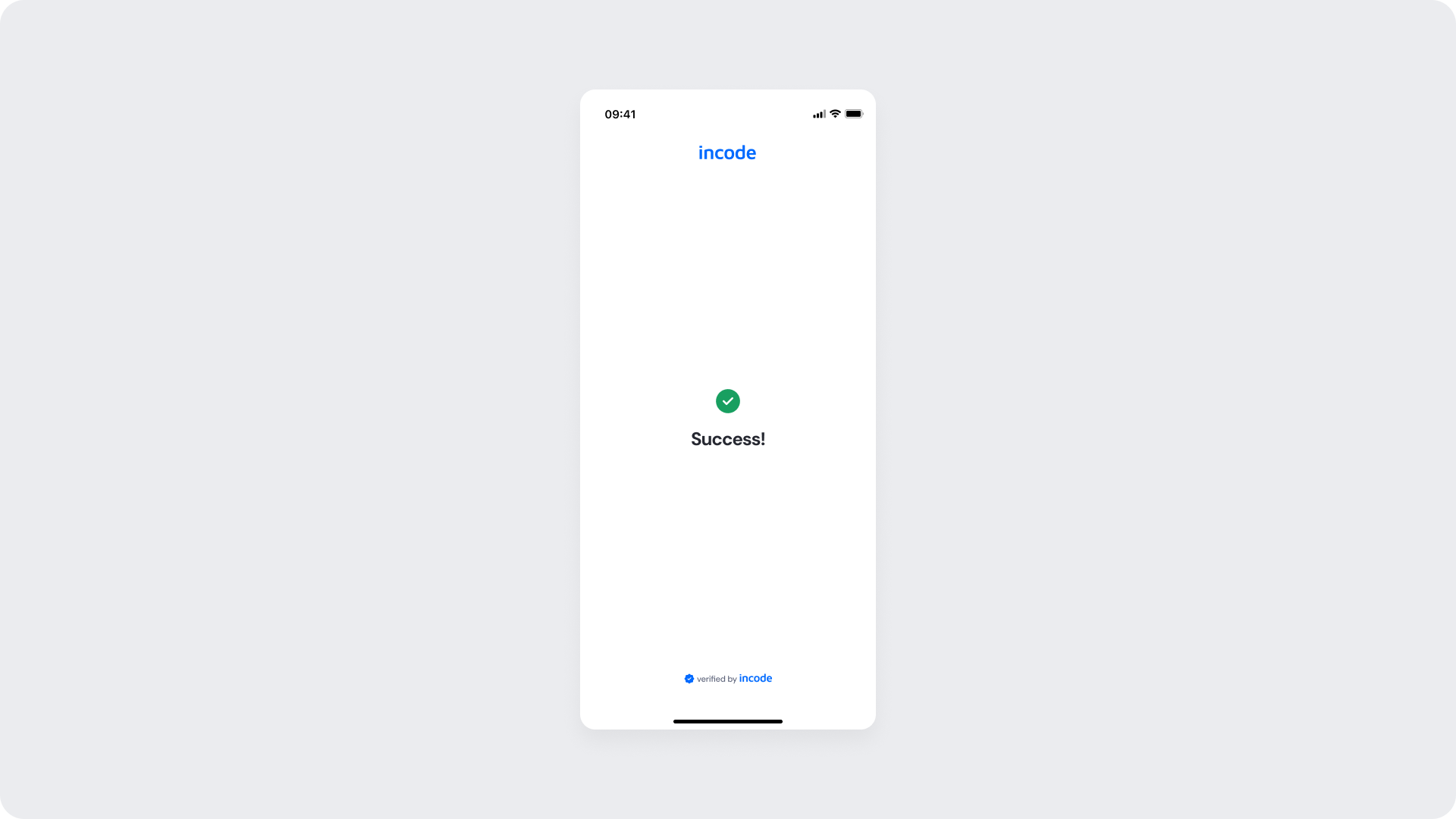
| Area | What can be customized | Notes |
|---|
| Text Elements | Success title, confirmation message, helper text | Fully localizable. Messaging can align with brand tone and compliance communication standards. |
| Color Styling | Background color, text color, success icon color, accent colors | Applied via design tokens. Must preserve accessibility contrast across all states. |
| Localization | All textual content and regional formatting | Supports localization and translation. Layout should account for text expansion across languages. |
| Success Indicator | Success icon style and animation behavior | Customizable within approved accessibility and motion guidelines. |
| Status Messaging | Success confirmation copy | Messaging should remain concise, clear, and compliant with regulatory communication requirements. |
| Element | Why it is fixed |
|---|
| Component spacing & safe areas | Ensures cross-device consistency and accessibility. |
| Text hierarchy | Maintains clear task communication and visual structure. |
| WCAG contrast requirements | Mandatory for accessibility compliance. |
| UI Element | Token | Raw Value |
|---|
| Screen background | surface-neutral-0 | #FFFFFF |
| Success title text | text-body-primary | #262831 |
| Success icon background | icon-status-positive | #1E7F11 |
| Success icon (check) | icon-neutral-0 | #FFFFFF |
- Keep the layout clear, vertically structured, and easy to scan to reduce cognitive load.