
OCR Review
The OCR Review module presents the information automatically extracted from the identity document using OCR. Relevant fields detected on the document—such as full name, date of birth, gender, document number, and expiration date—are pre-filled for the user to review and confirm. This step helps ensure the extracted data is accurate before continuing the verification or onboarding process.
Where it fits in the flow
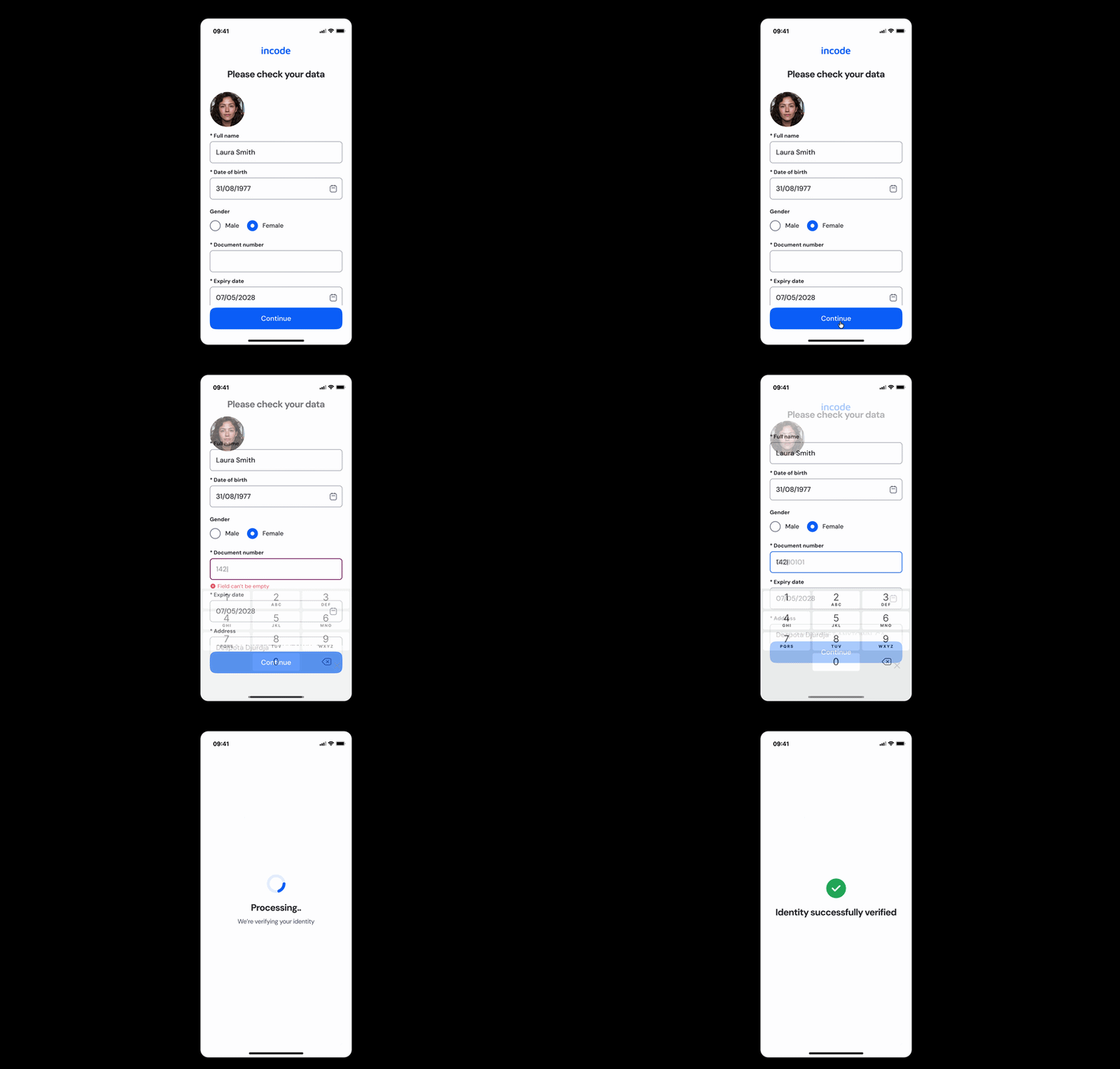
The **OCR Review** module is typically performed immediately after the ID Capture step and before identity verification is finalized. During this stage, the information extracted from the identity document using Optical Character Recognition (OCR) is presented to the user for review and confirmation. This helps ensure the captured data is accurate and complete before continuing the onboarding or verification process.
User Flow
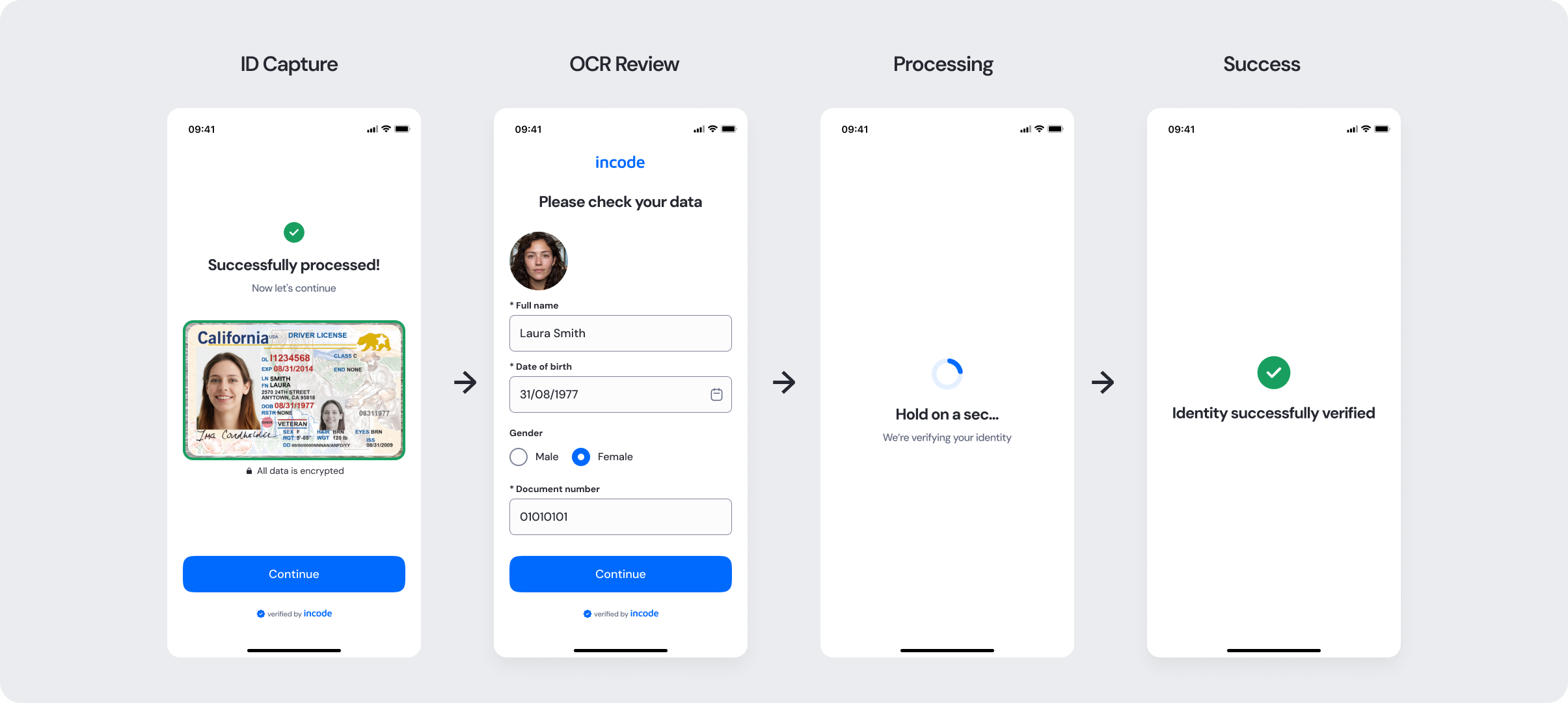
The OCR Review experience follows a four-step flow that begins immediately after the ID Capture step. First, the user captures their identity document. The system then processes the document and extracts the relevant information using Optical Character Recognition (OCR). Next, the extracted data is presented to the user for review and confirmation. Finally, once the information is verified, the user can continue the onboarding or identity verification process.
Full Flow Map
Happy Path (Light & Dark)
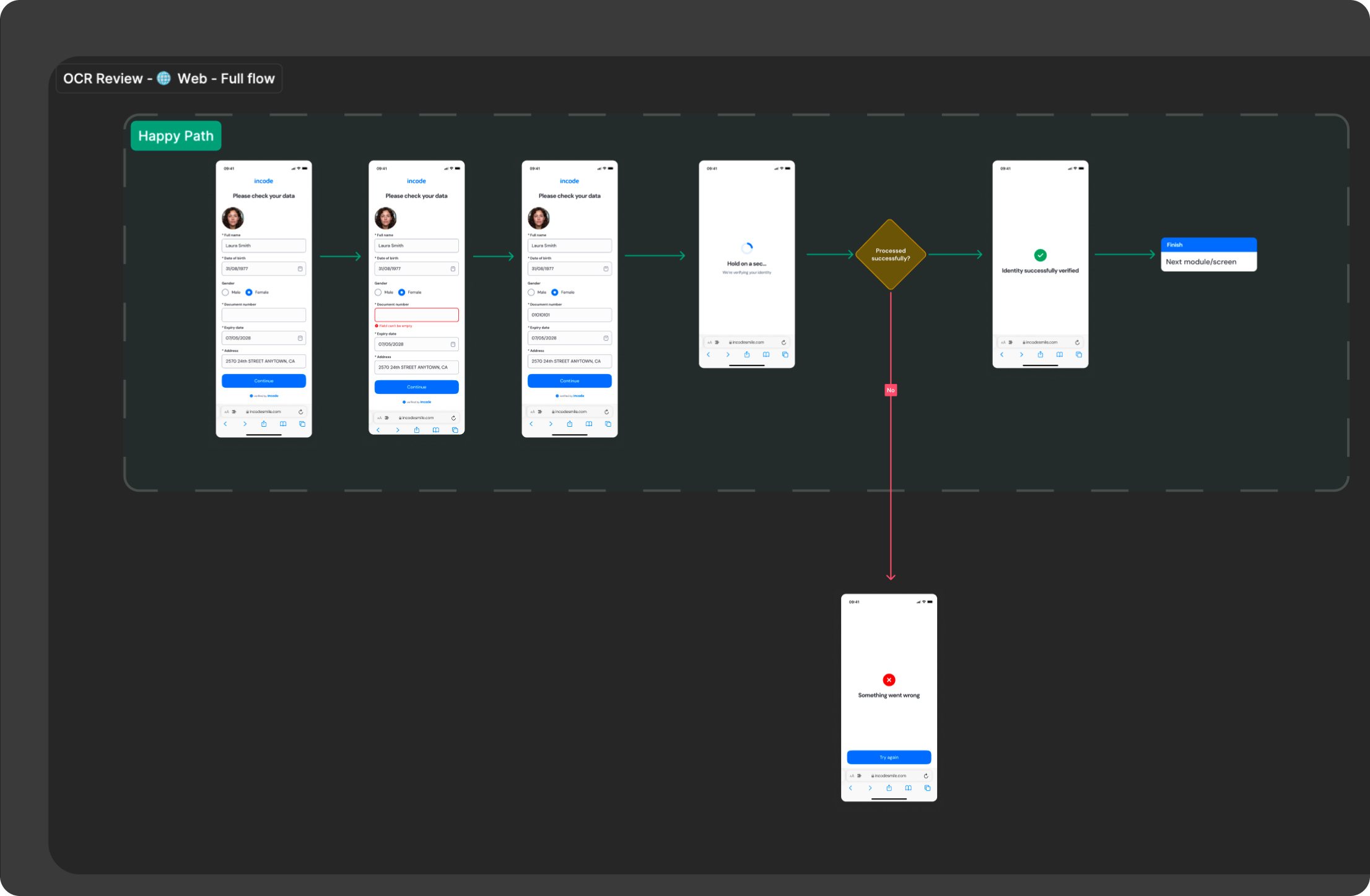
The ideal user journey occurs when the information from the identity document is successfully extracted and displayed without errors or interruptions.
The happy path represents the smoothest version of the OCR Review experience: the user captures their identity document, the system automatically extracts relevant information using Optical Character Recognition (OCR), and the extracted fields are presented for review and confirmation before continuing the verification process.
The experience follows a simple three-step flow: the ID capture step, the OCR processing and extraction state, and the review and confirmation of the extracted information.

Light mode

Dark mode
Best Practices
Recommended guidelines for designing and implementing the OCR Review experience.
✅ Do
- Clearly display the extracted information so users can quickly review and confirm the data captured from the identity document.
- Highlight editable fields and allow users to correct any inaccurate or incomplete information before continuing.
- Provide clear progress indicators between the ID Capture, OCR processing, and review steps to maintain transparency during the verification flow.
❌ Don't
- Don’t continue the verification process without giving users the opportunity to review the extracted information.
- Don’t present incomplete, poorly formatted, or low-confidence OCR results without prompting the user to retry or recapture the document.
Updated about 2 months ago