
Specs & Guidelines
The Fiscal QR OCR module includes complete Figma specifications documenting spacing, layout rules, typography tokens, and language variants. These specs ensure consistency across platforms and allow localized versions of the UI to scale without breaking the layout.
Responsiveness & Viewport Adaptation
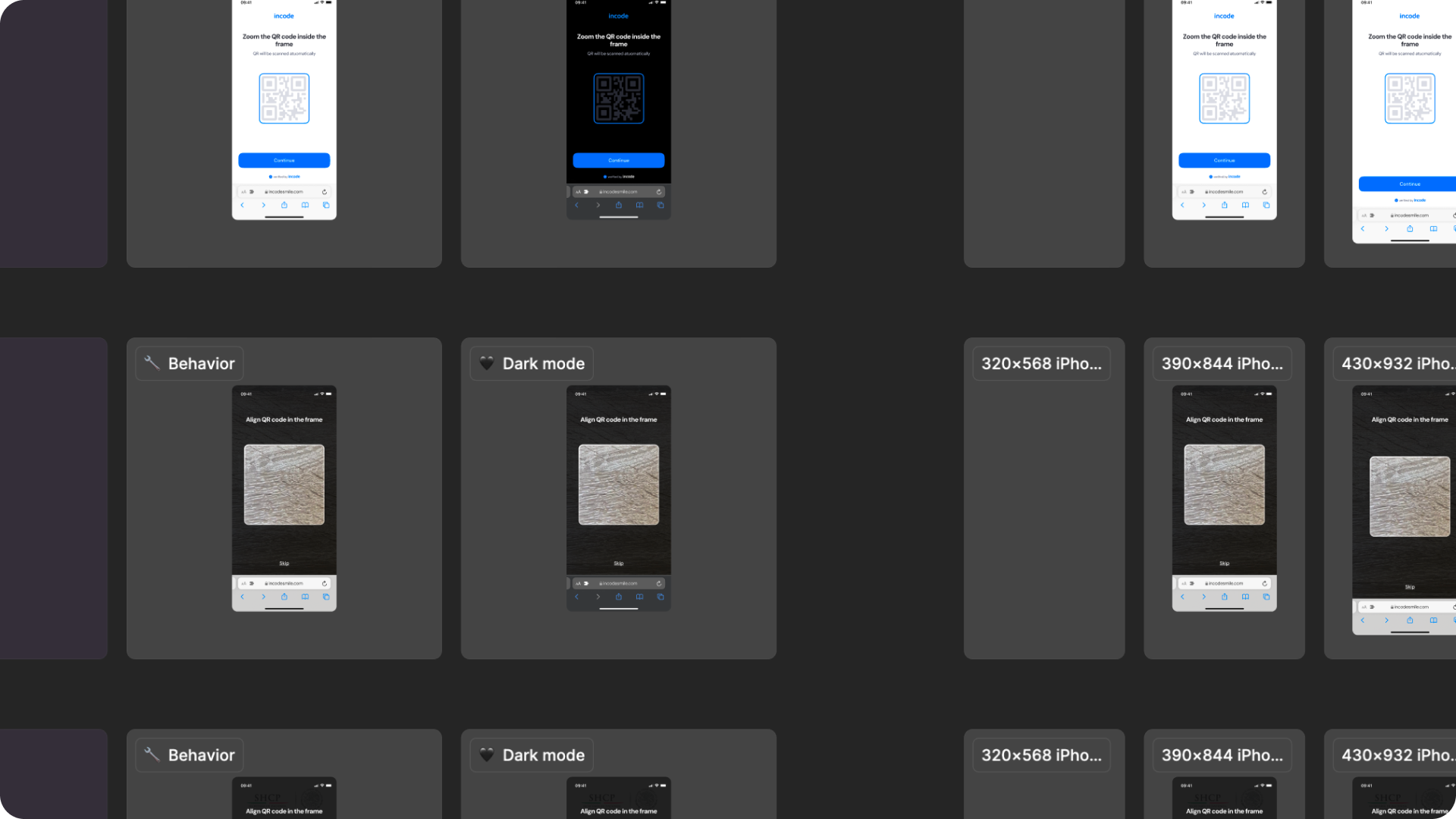
The Fiscal QR OCR module is fully responsive and adapts seamlessly to a wide range of device sizes and aspect ratios. The layout is designed to remain consistent and predictable whether the user is on a small phone, large phone, foldable device, or tablet. The active scanning screen uses the full device viewport to maximize the camera view and scanning frame visibility.
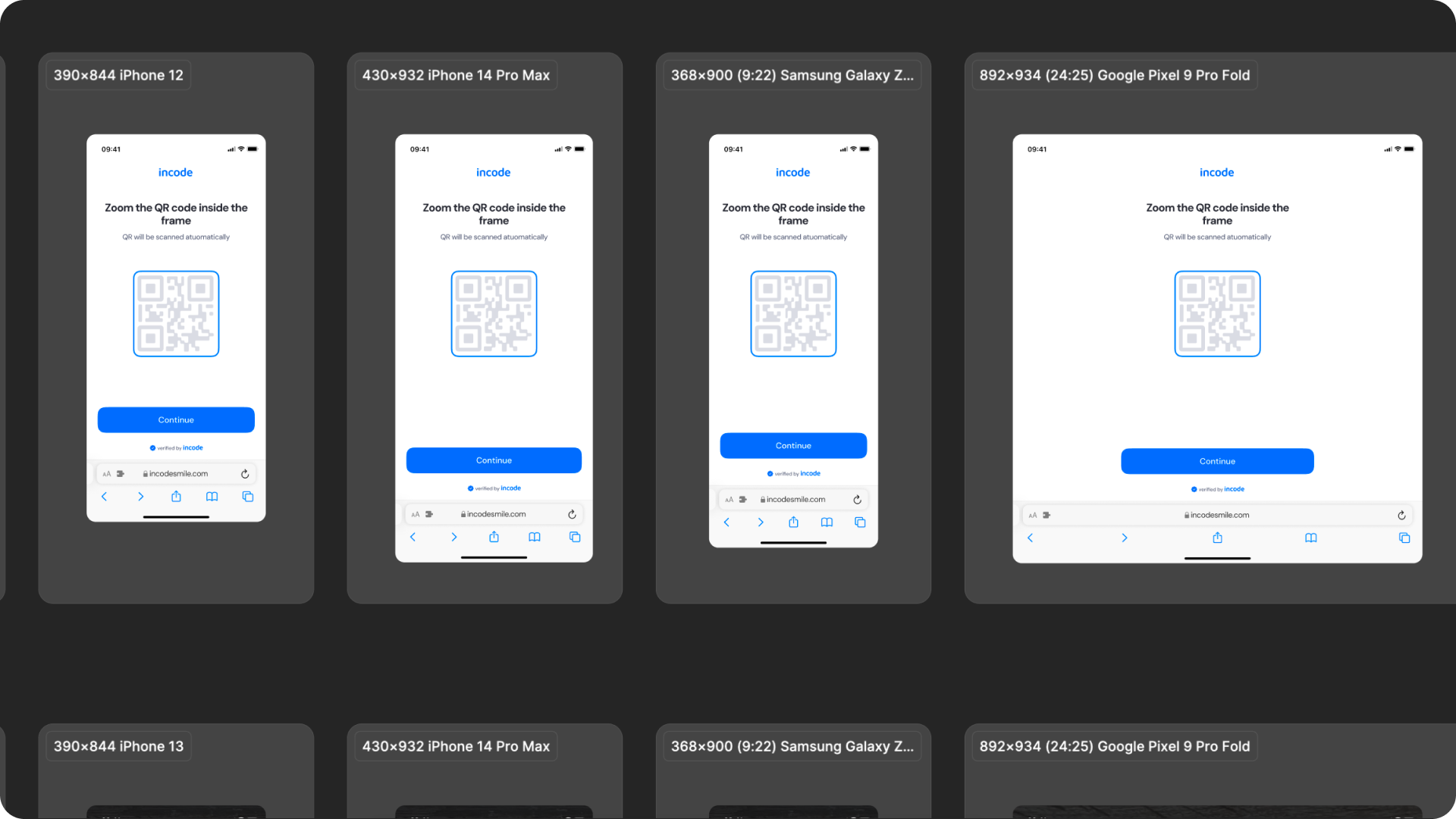
How the layout adapts across devices
| Breakpoint | Behavior |
|---|---|
| Small phones (e.g., iPhone SE) | UI elements adjust vertically; scanning frame scales to maintain usable detection area. |
| Standard phones (iPhone 12–16) | Full layout shown; scanning frame and text hierarchy remain consistent. |
| Tall/narrow Android devices | Vertical spacing is redistributed; scanning frame remains centered and properly proportioned. |
| Foldables (e.g., Pixel Fold) | Larger scanning area with more balanced white space; content remains centered. |
| Tablets | Increased layout margins; scanning frame and intro screen content scale proportionally. |
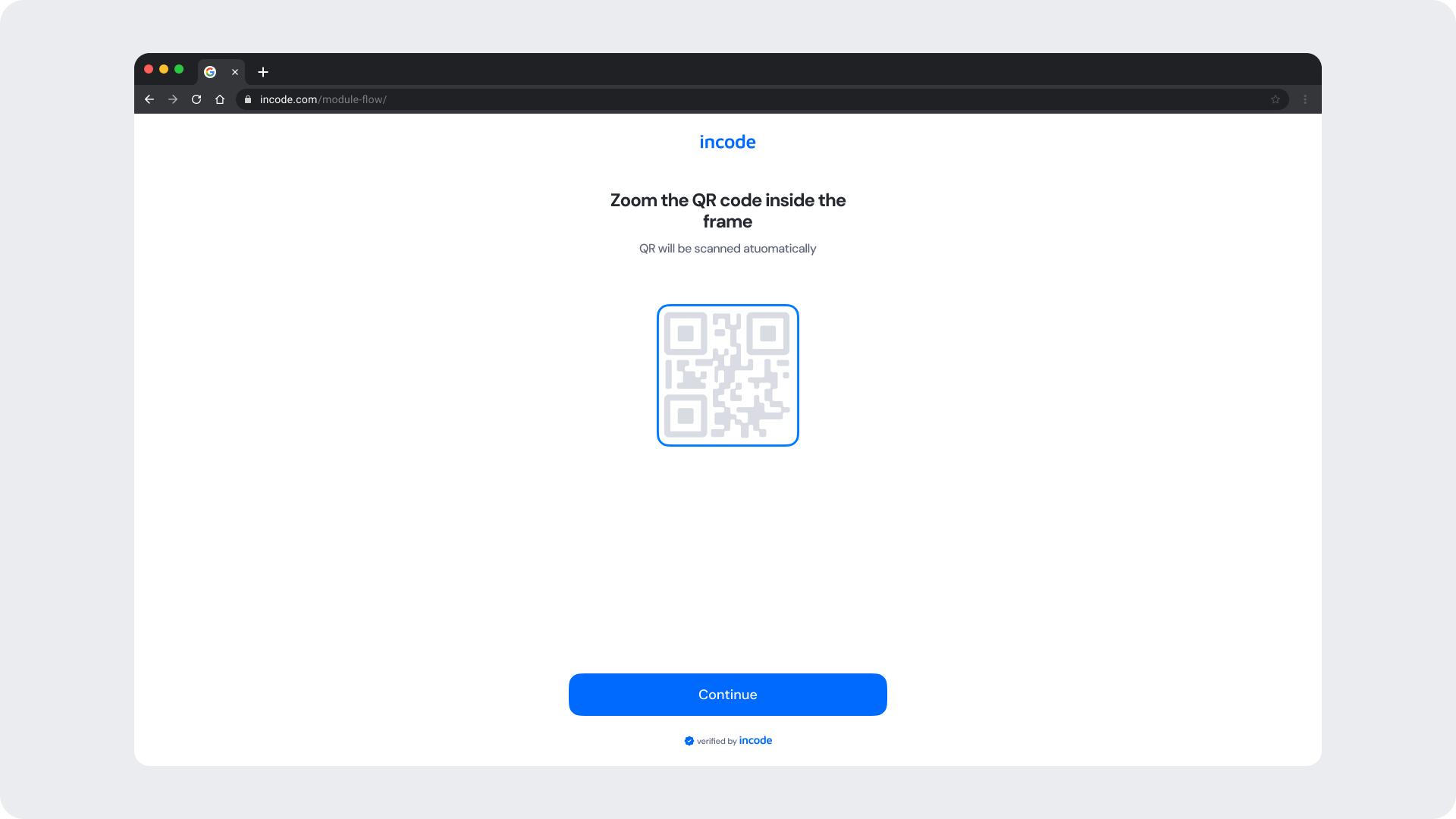
| Desktop web | Centered layout with controlled max-width; additional safe area padding applied. |
What is responsive (and customizable)
| Element | Responsive Behavior | Customizable |
|---|---|---|
| Scanning frame | Scales proportionally by viewport; remains centered | Frame border color only |
| Title text | Remains centered and adapts to container width | Yes, text is fully localizable |
| Subtitle text | Wraps gracefully for longer translations | Yes, text is fully localizable |
| Skip button | Pinned to bottom of the scanning screen | Label and color |
| QR illustration (intro) | Scales proportionally within the intro layout | Color & style |
| Continue button | Width adjusts to container | Color & text |
| Footer / watermark | Pinned to bottom safe area | Optional |
| Background surfaces | Expand to full viewport | Yes |
| Error message (inline) | Positioned directly below the scanning frame at all sizes | Color & text |
What remains fixed across breakpoints
| Element | Reason |
|---|---|
| QR detection logic | Must remain consistent for accurate fiscal QR code scanning and data extraction. |
| Scanning frame position | Required for reliable QR code alignment and detection across all devices. |
| Frame color state logic | Blue = searching, green = detected, red = error. Logic is fixed; only colors can be updated via tokens. |
| Minimum text size | Required for readability & WCAG compliance. |
| Minimum tap target sizes | Ensures accessibility on mobile. |
| Overall hierarchy | Prevents cognitive load at different sizes. |
Design Notes
- The scanning frame always remains the dominant UI element during the active scanning state, regardless of screen size.
- Horizontal spacing is fluid; vertical spacing uses fixed-safe thresholds.
- Avoid adding custom UI elements over the camera view — they may obstruct the user's view of the QR code and affect detection accuracy.
- Multiline text is handled gracefully, but keep localized strings concise for scanning instructions and error messages.
Desktop & Tablet Guidelines
The module is fully responsive and adapts gracefully to larger viewports. The Figma file includes guidelines for layout adjustments, safe areas, proportion scaling, and interaction differences between touch and pointer-based devices.
Prototype & Transitions
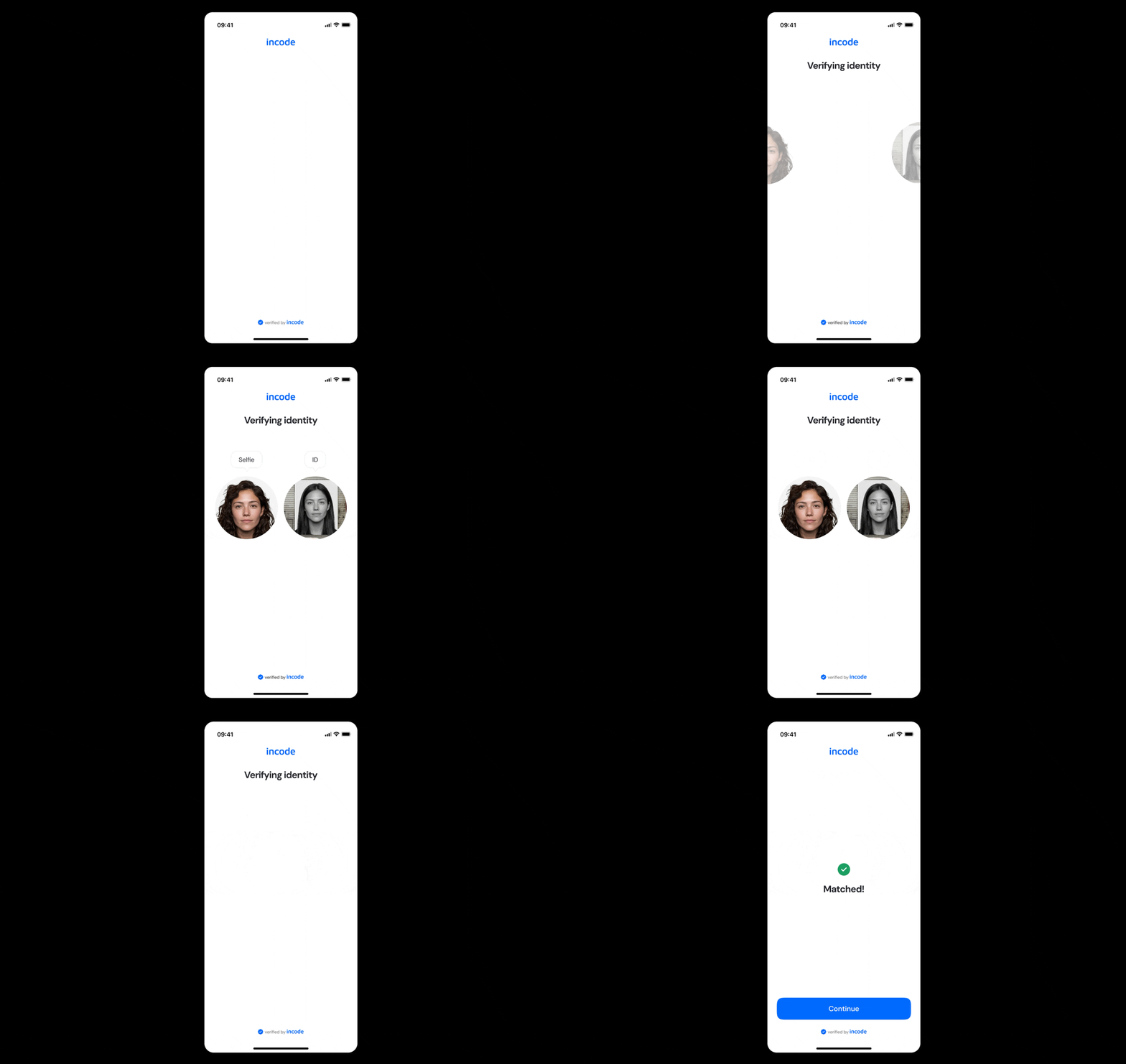
Fiscal QR OCR includes predefined transition rules and micro-interactions that ensure a smooth user experience from the intro screen and active scanning state, through the QR detection feedback, to the verifying and error outcomes. Timing, easing, and animation guidelines are documented directly in Figma prototypes.
Localization
The Fiscal QR OCR module supports full localization and is designed to adapt to languages with different lengths, line breaks, and reading patterns. The Figma file includes examples for long, short, and multi-line translations to ensure layouts remain stable across regions.
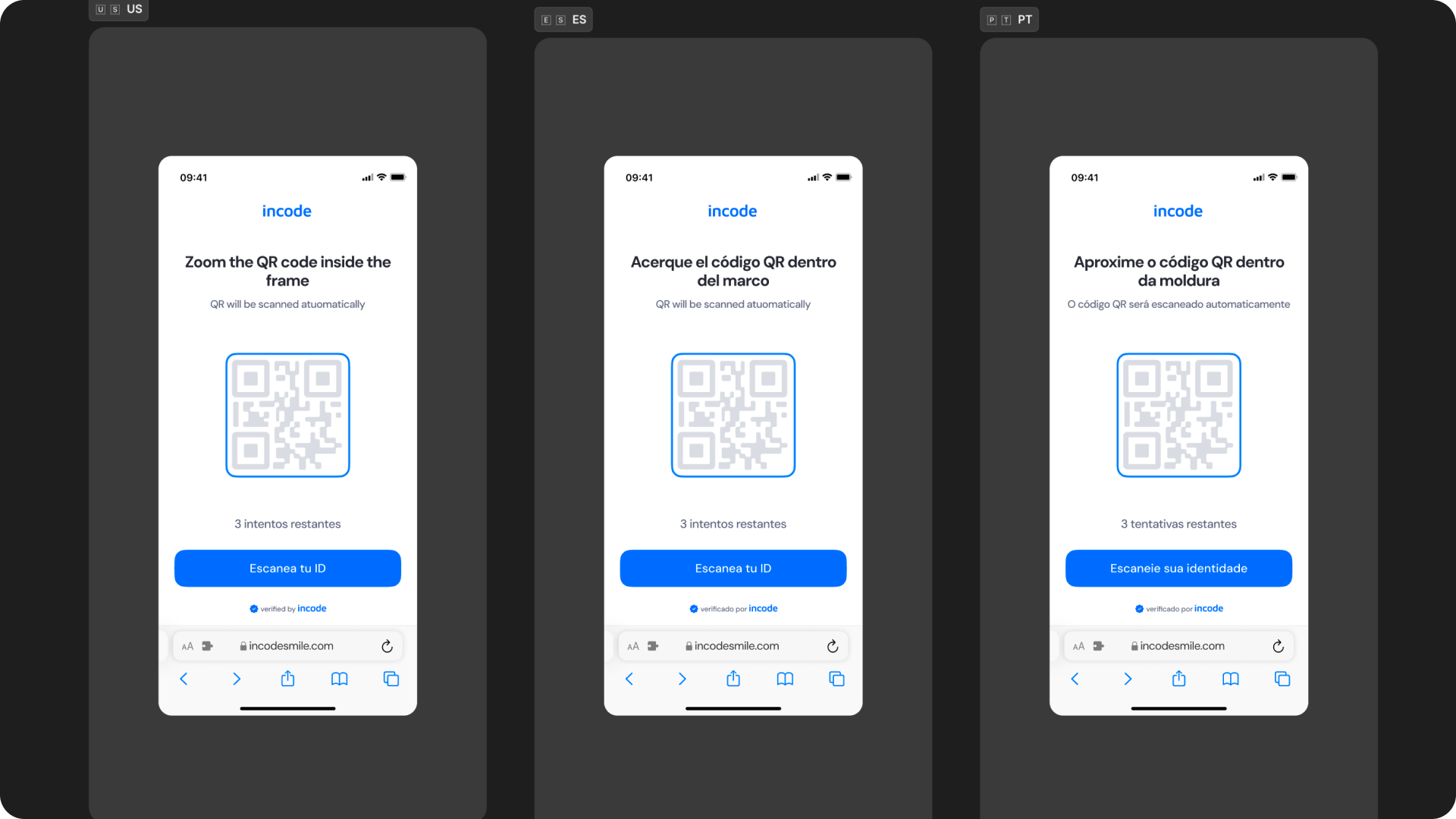
Key considerations:
- All user-facing text is fully localizable, including the intro screen title and subtitle, scanning instructions, inline error messages, and session-level error messages.
- UI adjusts to prevent truncation and maintain readability.
- Spacing and vertical rhythm adapt to accommodate longer languages.
- Scanning instruction text must remain concise regardless of language — long strings on the camera screen can distract from the scanning task.
- Inline error messages should be localized carefully to remain clear and action-oriented in each supported language.
- Ensure localized strings preserve clarity and follow regulatory requirements when applicable.
Incode supports a variety of languages.
Updated about 1 month ago